Base Material
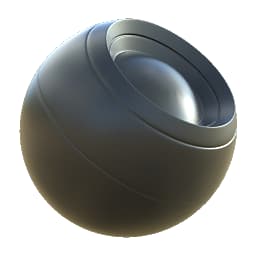
Base Material
In: Material Filters/PBR Utilities
Intermediate
Description
The quickest, easiest way to create a Multi-Channel material in Adobe Substance 3D Designer. This node returns a bundled Full material based on simple, solid color settings and values. This can then be used as placeholder or to refine into a complex material.
The node is very useful when texturing full props and blending multiple materials. In fact, you could start every single material from this node, without ever needing a complex material base.
Parameters
Inputs
- Optional inputs for every channel that can be toggled with the switches in “User Defined Inputs”.
Parameters
-
PBR Workflow: Metal - Roughness, Specular - GlossinessSets the PBR model used.
-
Material Preset: Custom, Dielectric, Gold, Silver, Aluminium, Iron, Copper, Titanium, Nickel, Cobalt, PlatinumQuick shortcut to create certain metals. Disables irrelevant options.
-
Base Color: *(Color value)*Solid color used for Base Color.
-
Metallic: *(Grayscale value)*Solid value used for Metallic.
-
Diffuse Color: *(Color value)*Solid color used for Diffuse.
-
Specular: *(Color value)*Solid color used for Specular.
-
Specular Presets: Plastic, Wood, Stone, Brick, Sand, Concrete, Fabric, Rusted Metal, Water, Ice, GlassOptional quick presets to set PBR-correct Specular values.
-
Specular Range: 0.0 - 1.0Adjusts Specular range.
-
Roughness - Glossiness
- Roughness Value: *(Grayscale value)*Set the global, base roughness value, if channel is active.
- Glossiness Value: *(Grayscale value)*Solid color used for Glossiness, if channel is active.
- Grunge Amount: 0.0 - 1.0Extent to which the optional Grunge map input is blended in to Gloss or Roughness.
- Grunge Tiling: 1 - 16Extent to tile the optional Grunge map by.
- Custom Grunge Input: False/TrueEnables or disables the optional custom Grunge map .
-
Normal
- Normal from Height Intensity: 0.0 - 16.0Optionally converts custom Heightmap to normal and returns this as the material Normalmap.
-
Height
- Height Position: 0.0 - 1.0Solid value used for Height output.
- Height Range: 0.0 - 1.0Sets influence of User-Defined Heightmap, if enabled.
-
User-Defined Maps
- Toggles on or off all user-defined maps, returning these instead of any solid values.
Example Images
| table 0-row-1 1-row-1 |
|---|
| There are no images attached to this page. |