Safe Transform
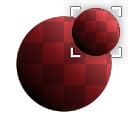
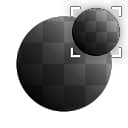
Safe Transform (Grayscale)
In: Filters/Transforms
Intermediate
Description
Tiling-safe version of Transform 2D. Allows you to scale, rotate and offset without breaking tiling and without losing pixel detail (loss of crispness/sharpness) due to small offsets and rotations.
Useful for transforming noise when maximum control or perfect sharpness is required.
Parameters
- Tile: 1 - 16Scales the input down by tiling it.
- Offset Mode: Manual, RandomSwitches to a random offset instead of a manually defined one.
- Offset: 0.0 - 1.0
Moves or translates the result. Makes sure pixels are snapped and not interpolated. - Rotation: 0.0 - 1.0Rotates input along angle.
- Tile Safe Rotation: False/TrueDetermines the behaviour of the Rotation, whether it should snap to safe values that don’t blur any pixels.
- Symmetry: none, X, Y, X+Y
- Background Color: (Color value) (Color Version Only)
- Mipmap Mode: Automatic, ManualDetermines mipmapping mode. Setting this to Manual leads to sharper results.
- Mipmap Level: 0 - 10When Mipmap mode is set to Manual, this allows you to choose a different Mipmap.
Example Images
| table 0-row-1 1-row-1 |
|---|
| There are no images attached to this page. |
recommendation-more-help
dd48abc6-e399-43d2-9777-578ec70c5a23