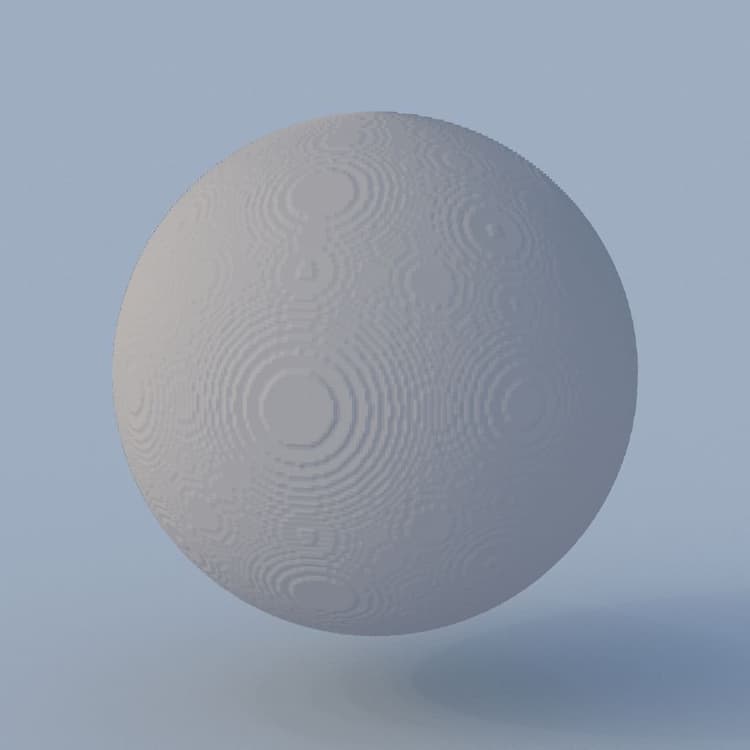
3D Texture Surface Render
{width="200px"}
In: Filter/Effect
Simple
Description
The 3D Texture Surface Render node renders the surface of a shape described by a 3D texture, using its corresponding distance field from the 3D Distance Field image input.
The surface is represented within the bounds of a unit cube. The lighting is computed using the Environment input image mapped to an infinite sphere.
| note |
|---|
| NOTE |
| The distance field is expected to be a 4096x4096 texture describing the shape with a 16x16 grid of 256 slices. You may use the 3D Texture SDF node to compute the distance field for a 3D texture of 256 slices. |
Parameters
Inputs
- 3D Distance Field Grayscale
The 4096x4096 image representing the 256 slices of a shape’s distance field, arranged in a 16x16 grid.
You may use the 3D Texture SDF node to compute the distance field for a 3D texture of 256 slices. - Environment Color
The image representing the environment which should be mapped to an infinite sphere in the render, and used for computing the lighting.
The image is also used to render the scene background when the Background Mode parameter is set to Ambient or Environment.
Parameters
-
Output Resolution Integer2
The resolution of the output image in X and Y, expressed as a power of two. -
Camera Position Float2
The position of the camera around the shape.
When the node is selected, you may use the position gizmo in the 2D View to orbit the camera. -
Camera Distance Float
The distance from the camera to the shape. -
Camera FOV Float
The field of view of the camera in degrees. -
Albedo Float3
The albedo color of the shape’s surface. -
Background Mode Integer
The method of representing the background of the rendered scene:- Ground Irradiance: The computed irradiance of the ground plane
- Ambient: The ambient color of the Environment image input mapped to an infinite sphere, which is akin to a strongly blurred version of the image
- Uniform Color: Uniformly fill the background with a specified color
- Environment: The Environment image input mapped to an infinite sphere
-
Background Color Float4
The color used to uniformly fill the background of the rendered scene.
Note: This parameter is only available when the Background Mode parameter is set to Uniform Color. -
Enable Ground Plane Boolean
When True, renders a ground plane. The unit cube enclosing the shape rests on this plane. -
Infinite Plane Boolean
Sets the ground plane to extend infinitely to the horizon.
Note: This parameter is only available when the Enable Ground Plane parameter is set to True. -
Ground Plane Size Float2Adjusts the size of the ground plane.
Note: This parameter is only available when the Enable Ground Plane parameter is set to True and the Infinite Plane parameter is set to False.
Example Images