Histogram render
In: Filters > Adjustments
Description
Draws the histogram for a grayscale image.
Input connectors
Input Grayscale PRIMARY
The image for which the histogram should be drawn.
Output connectors
Output Grayscale
The histogram visualization computed out of the input image.
Parameters
Histogram resolution Integer
The width of the histogram. A higher value allows for a finer value distribution. Available resolutions are, in pixels: 256, 512, 1024, 2048, 4096
Automatic scale Boolean
When ‘True’, remaps the histogram to use the full height of the image. When ‘False’, each column uses as many pixels in height as there are occurrences of a value in the input image.
Scale Float
Scales the histogram vertically, where a value of 1 is the full height of the histogram.
Sampling Integer
The method of filtering the histogram image, which impacts the result when the histogram resolution and render resolution mismatch:
- Bilinear: applies bilinear filtering to the histogram, resulting in interpolated points
- Nearest: samples the nearest pixel with no filtering, resulting in flat steps
Flip Y axis Boolean
When ‘True’, mirrors the histogram vertically.
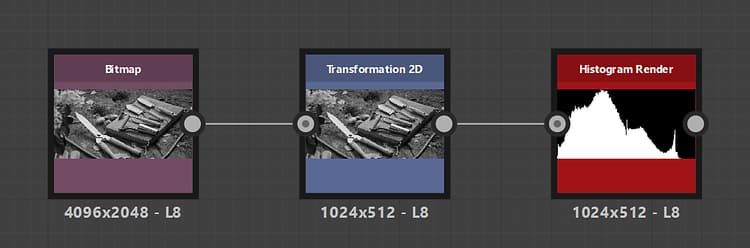
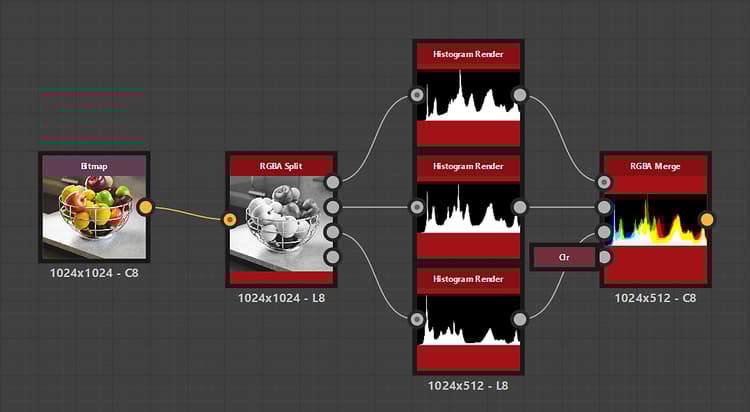
Examples
recommendation-more-help
substance-3d-designer-help-guide