Sphere Light
In: 3D View > HDRI Tools
Description
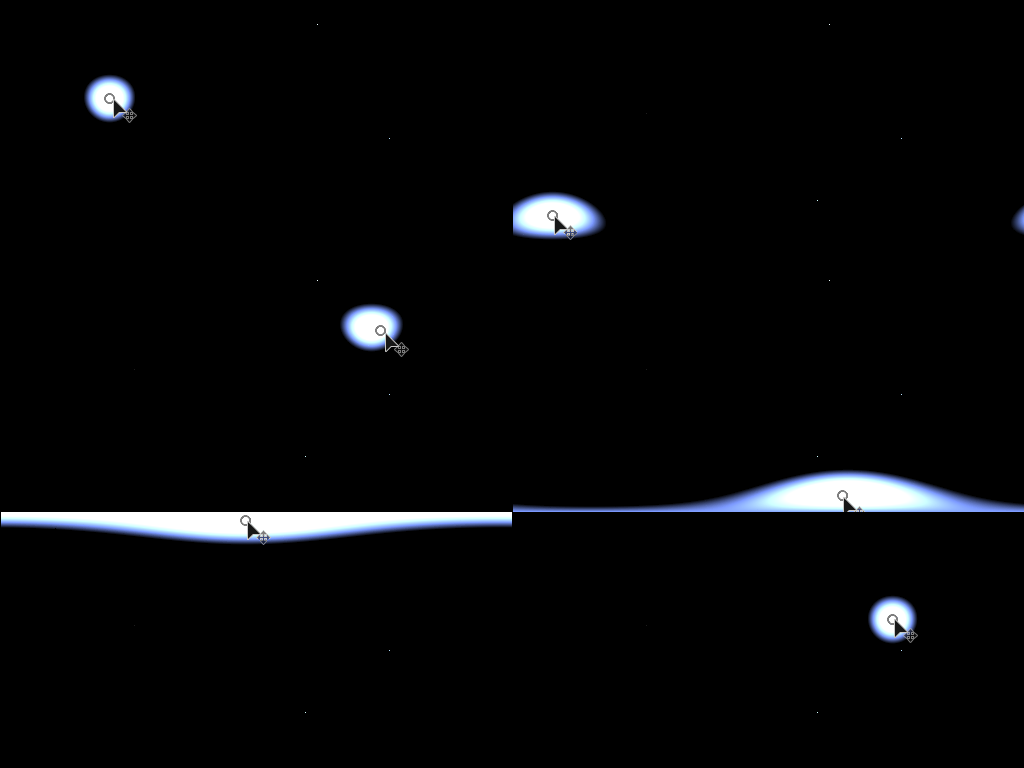
Generates a spherically projected sphere shape. The sphere transformation is driven by a transformation gizmo.
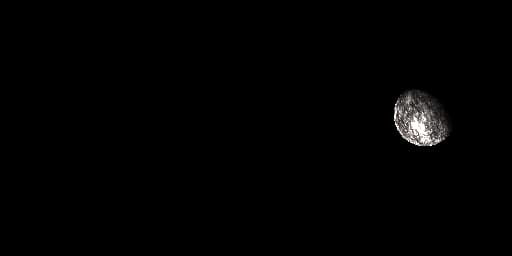
The Sphere Light is quite versatile and has options that allow it to no only generate simple round lights, but also planets or other celestial bodies. If you have no need for the more advanced lighting and rotation options, take a look at Shape Light instead.
Inputs
Background Image Input Color Input
Optional background onto which to compose the generated light.
Shape Image Input Color Input
Optional image to map onto Sphere light. Only used when Shape Color Mode is set to Image Input.
Parameters
Position Mode Distance from Origin, World Position
Choose between two modes of placement. Distance from Origin is similar to polar coordinates, the sphere is set relative to the center of the panorama, world position works like standard 3D coordinates.
Position Coordinates
Up Vector Z Up, Y Up
Only with World Position mode, determine orientation of coordinate system.
Sphere World Position -2.0 - 2.0
Only with World Position mode, sets sphere position in world space.
Position
Only with Distance from Origin mode. Sets position relative to center. Can be manipulated in 2D View.
Distance from Origin 0.0 - 20.0
Only with Distance from Origin mode. Sets distance to origin, affects visible size of the sphere.
Shape Color Mode RGB, Temperature (Kelvin), Image Input
Choose what method to use to set shape color. Image Input enables use of the second input slot.
Color (Color value)
Only with Shape Color Mode set to RGB. Picks color for shape.
Shape Temperature 800.0 - 20000.0
Only with Shape Color Mode set to Temperature. Sets Kelvin value for shape color.
Sphere Image Input Gamma sRGB, Linear
Only with Shape Color Mode set to Image Input. Determine how to interpret Shape Image Input.
Sphere Rotation 0.0 - 1.0
Only with Shape Color Mode set to Image Input. Spins sphere around its centre to orient mapped image.
Exposure (EV) 0.0 - 10.0
Set exposure value for generated shape, Ideally matched to background image exposure value.
Sphere Radius 0.0 - 1.0
Sets radius/size of the sphere.
Sphere Hardness 0.0 - 1.0
Sets the hardness/falloff of the sphere.
Shading None, Limb Darkening, Shading Light
Set if any shading should be applied to the sphere. Allows sphere not to appear as solid, unlit object. Limb darkening means a slight darkening appears at edges, Shading Light means the sphere is lit by an optional Shading Light.
Shading Light World Position -1.0 - 1.0
If Shading is set to Shading Light, the position of the light onto the sphere is controlled here.
Penombra Transparency 0.0 - 1.0
If Shading is set to Shading Light, controls the falloff of the shading.
Enable Backgound Input False/True
Toggles use of optional background image. Composites generated light on top of background.
Background Color (Color value)
If Background Input is not used, set a solid color background value here.
Background Gamma sRGB, Linear
If Background Input is used, set how to interpret Background input.
Examples
recommendation-more-help
substance-3d-designer-help-guide