Line Light
In: 3D View > HDRI Tools
Description
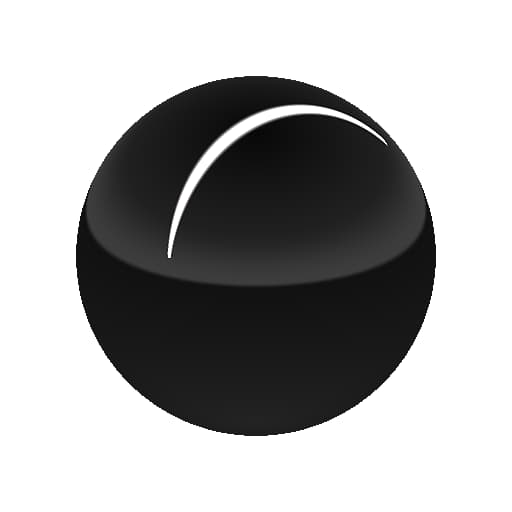
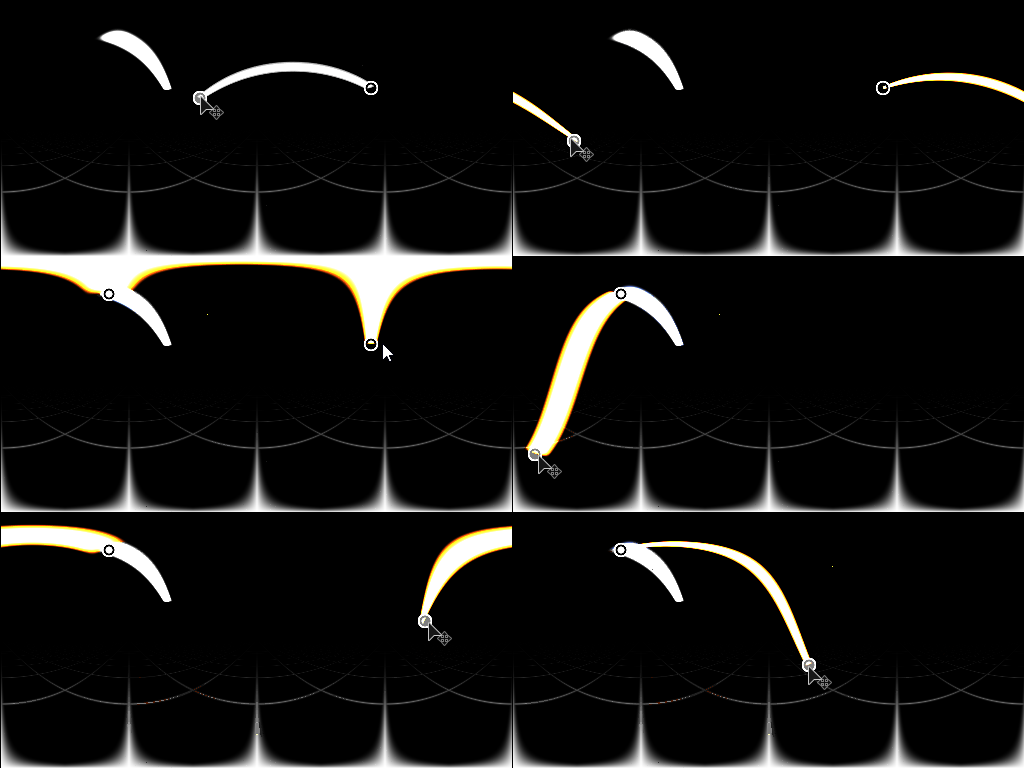
Generates a spherically projected line shape based on the coordinates of two points in space. Compared to Shape Light it has more options for orienting shapes and applying repeating patterns to the light shape.
The positioning modes for this node are slightly more complex than other HDRI Light Nodes. It is recommended to try a few different size modes to find which one works for you scenario.
Inputs
Background Image Input Color Input
Optional background onto which to compose the generated light.
Shape Image Input Color Input
Optional image to map onto Line light. Only used when Shape Color Mode is set to Image Input.
Pattern Image Input Grayscale Input
Custom pattern image, used when the “Pattern” parameter is set to “Image Input”.
Parameters
Position Mode Ground / Ceiling, Distance from Origin, World Positions
Select from three different placement modes. Ground/Ceiling and Distance from Origin support manipulation in the 2D view, World positions can only be changed through properties, but does support more exact placement.
Show Ground Grid False/True
Helper function to enable a debug ground grid to be drawn. Helps estimate position of lines in space.
Position Coordinates
Up Vector Z Up, Y Up
Only with World Position mode, determine orientation of coordinate system.
Point 1 UV Position
Only with Ground / Ceiling and Distance from Origin. Sets first point position in UV space.
Point 2 UV Position
Only with Ground / Ceiling and Distance from Origin. Sets second point position in UV space.
Point 1 World Position -2.0 - 2.0
Only with World Positions mode. Sets first point in world space. No 2D view interaction supported.
Point 2 World Position -2.0 - 2.0
Only with World Positions mode. Sets second point in world space. No 2D view interaction supported.
Line Absolute Height 0.0 - 1.0
Only with Ground / Ceiling Position Mode, sets absolute height from ceiling. Use Show Ground Grid to estimate position better.
Distance from Origin 0.0 - 1.0
Only with Distance from Origin Position Mode. Sets distance from panorama center for both points.
Shape Color Mode RGB, Temperature (Kelvin), Image Input
Choose what method to use to set shape color. Image Input enables use of the second input slot.
Color (Color value)
Only with Shape Color Mode set to RGB. Picks color for shape.
Temperature 800.0 - 20000.0
Only with Shape Color Mode set to Temperature. Sets Kelvin value for shape color.
Shape Image UV Mode Stretch, Stretch Middle only, Repeat + Spacing
Only with Shape Color Mode set to Image Input. Sets how image is applied to the line shape, determines UV repetition behaviour.
Shape Image Repeat Spacing 0.0 - 1.0
Only with Shape Color Mode set to Image Input and with UV Mode set to Repeat + Spacing. Sets amount of spacing when image repeats along line.
Shape Image Gamma sRGB, Linear
Only with Shape Color Mode set to Image Input. Determine how to interpret Shape Image Input.
Exposure (EV) 0.0 - 10.0
Set exposure value for generated shape, Ideally matched to background image exposure value.
Line Rotation 0.0 - 1.0
Rotates line along the axis of its length. Line is treated as flat card when rotating.
Line Thickness 0.0 - 1.0
Sets thickness of the line card.
Pattern Smooth Square, Sharp Square, Cone, Hemisphere, Image Input
Select what pattern shape to use.
Pattern Hardness 0.0 - 1.0
Set hardness/contrast of pattern.
Pattern UV Mode Stretch, Stretch Middle only, Repeat + Spacing
Set how to use secondary pattern mask, applied on top of Shape Image.
Pattern Repeat Spacing 0.0 - 1.0
Only if Pattern UV Mode is set to Repeat + Spacing. Set amount of spacing between repeated patterns.
Enable Ground Clipping False/True
Enable clipping of line drawing. Effect is not visible when using Ground / Ceiling placement mode.
Ground Height -2.0 - 0.0
Sets relative height of fround plane, used for clipping. Affects drawn Ground Grid.
Enable Backgound Input False/True
Toggles use of optional background image. Composites generated light on top of background.
Background Color (Color value)
If Background Input is not used, set a solid color background value here.
Background Gamma sRGB, Linear
If Background Input is used, set how to interpret Background input.
Examples
recommendation-more-help
substance-3d-designer-help-guide