Exposure Preview

Exposure Preview
In: 3D View/HDRI Tools
Simple
Description
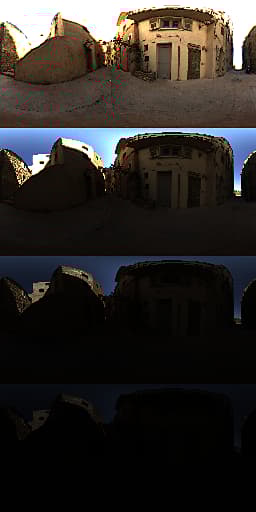
Helper node to preview exposure steps. Users sets a min and max value, the node generates a much larger image with a number different exposed versions of the original input. The different versions are always stacked horizontally, the amount depends on the resolution of the node or graph.
Parameters
- Max Exposure (EV): -8.0 - 8.0
Maximum exposure of the top, brightest image. - Min Exposure (EV): -8.0 - 8.0Minimum exposure of the bottom, darkest image.
Example Images
recommendation-more-help
dd48abc6-e399-43d2-9777-578ec70c5a23