Channels shuffle
In: Atomic Nodes
Rearranges the color channels of one or two input images into the output image.
I.e., takes two inputs and allows you to return an output where any of the Red, Green, Blue and Alpha channels are swapped or set to any of the channels from the input.
Essentially it allows you to pack and swap RGB channels in any possible way. Grayscale inputs are treated as if they are Color: Red, Green, Blue and Alpha all return the same values.
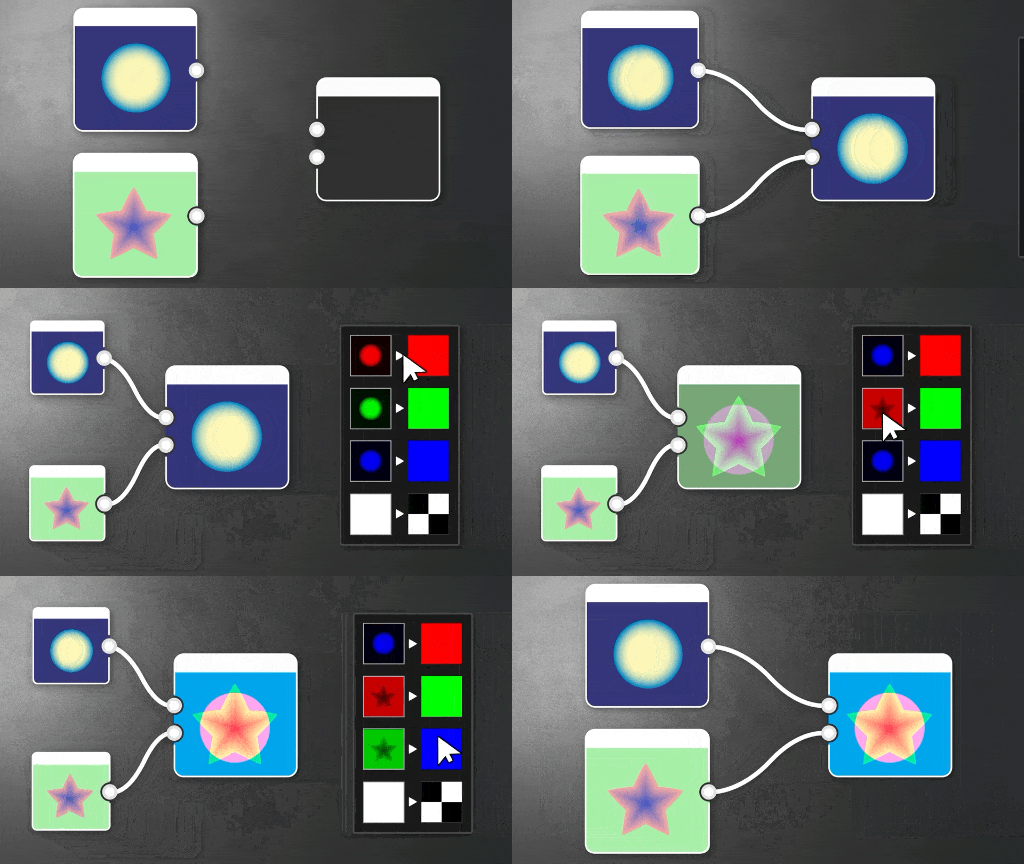
Channel Shuffle has basic options, but in most cases of Channel-packing or Stripping and setting Alpha Channels it is quicker to use RGBA Merge, RGBA Split, Alpha Merge and Alpha Split. They are set up to do default actions that do not require changing multiple parameters and converting to Grayscale afterwards. If you’re after a more advanced version with more blending options, look at Channel Mixer.
Parameters
Input connectors
Examples
Coming soon.