Create a variable
There is different ways to create a variable in Substance 3D Designer:
- Using an input parameter
- Use a Set node.
Using an input parameter
When you create an input parameter, a variable is created and associated with it. You can then reuse this variable in any function of you graph.
Therefore, one single exposed parameter can have an influence on multiple parts of your graph.
Using a Set node
A Set node is a node only available in the function graphs:
It allows the user to create a custom variable:
- The name is declared in the parameters.
- The value is defined by the input.
How to use the Set node
The use of a Set node is a bit particular:
when you declare it, it is only available within the graph, which by default is not really useful (after all you can already output its value with links).
Therefore, you have to declare this new variable, outside of this graph.
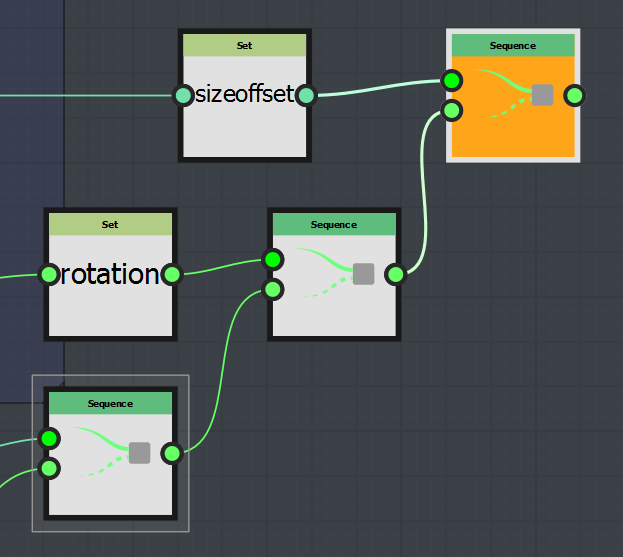
to do so, you have to use a sequence node and do the following steps:
- Link the actual output node to the “last” input of the Sequence node
- Link the Set node to the “In” input of the sequence node.
- Set the Sequence as the output node
When you have done this, the variable will be available in the other function graph of the same node.