Content Credentials for organizations
Learn how tamper-proof credentials for content that prove brand authenticity and drive compliance are embedded directly in your marketing workflow.
Get started with Content Credentials content-credentials
GenStudio for Performance Marketing applies Content Credentials globally to all assets, automatically. There is no setup step and no per-asset setting to turn on: credentials are embedded, preserved, and refreshed throughout the marketing workflow.
Once content is published, Content Credentials will be visible on external platforms, like LinkedIn.
C2PA-compliant Content Credentials require no certificate setup. Brand signature is the exception: to sign content with your organization’s own signature, an administrator must upload a valid X.509 certificate within the Admin Console. This step ensures that the enterprise’s digital signature is properly configured and ready for use in supported Adobe DX applications.
What are Content Credentials?
Content Credentials are a durable, industry-standard type of metadata with details about how content was made and identity information about the creators. Content Credentials can be viewed when the content is published online to supporting platforms, or by using tools like Adobe’s Inspect tool or the Adobe Content Authenticity Chrome browser extension.
Applying Content Credentials can help increase transparency about how content was made and can help your users connect themselves to their content.
Learn more about Content Credentials at Adobe.
Brand signature and asset tracking
Brand-signed content plays a significant role in promoting brand integrity and user trust. Organizations can sign their content with a unique brand signature in Adobe applications when their certificate is properly configured in the Admin Console. This assurance of authenticity is maintained using invisible watermarking and fingerprinting technologies, which help preserve the durability of the signature throughout the content’s lifecycle.
In addition to brand signing, enterprises can attach asset IDs directly to their content. This facilitates efficient tracking of assets, particularly when they are shared or posted on social media platforms. By incorporating asset IDs, organizations can trace the origin and distribution path of their content, enhancing oversight and accountability.
Content Credentials in the marketing workflow
Applying Content Credentials can be done throughout the marketing workflow directly in GenStudio for Performance Marketing, from import and content discovery to activation and export. You’ll also find credentials displayed on content for review throughout the app.
Import and discovery
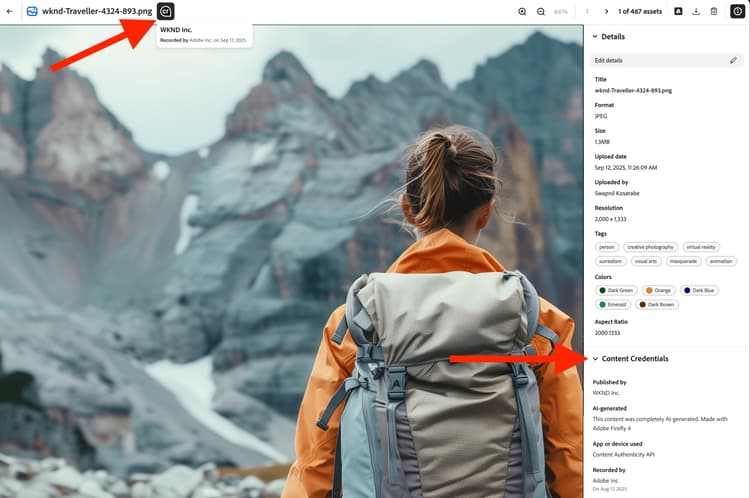
In the Content gallery, credentials are displayed on imported assets.
The Content Credential badge in the upper right corner of the thumbnail indicates Brand signed content.

Selecting signed content displays the detailed metadata: published brand, recorder, tool used, timestamp.
Content can be filtered by credential status.
Creation and selection
Content Credential badges are shown in the Canvas asset selector.
Credential metadata is preserved as assets are selected for experiences to maintain the provenance chain throughout editing.

Editing and transformation
During exports from a draft, modified assets are automatically re-signed and the new credential links to the original.

Review and approval
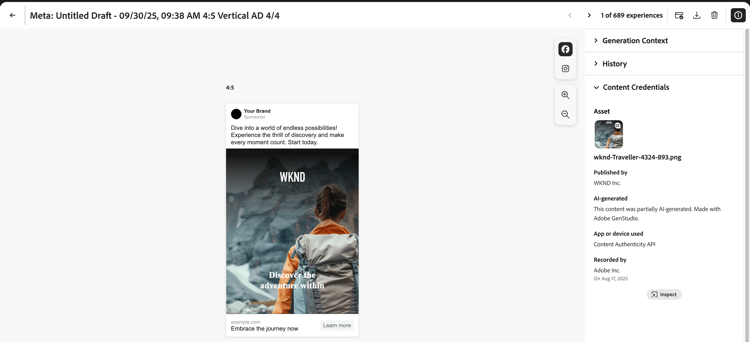
In the Review and Approve preview, credential status is displayed for assets on the right rail.
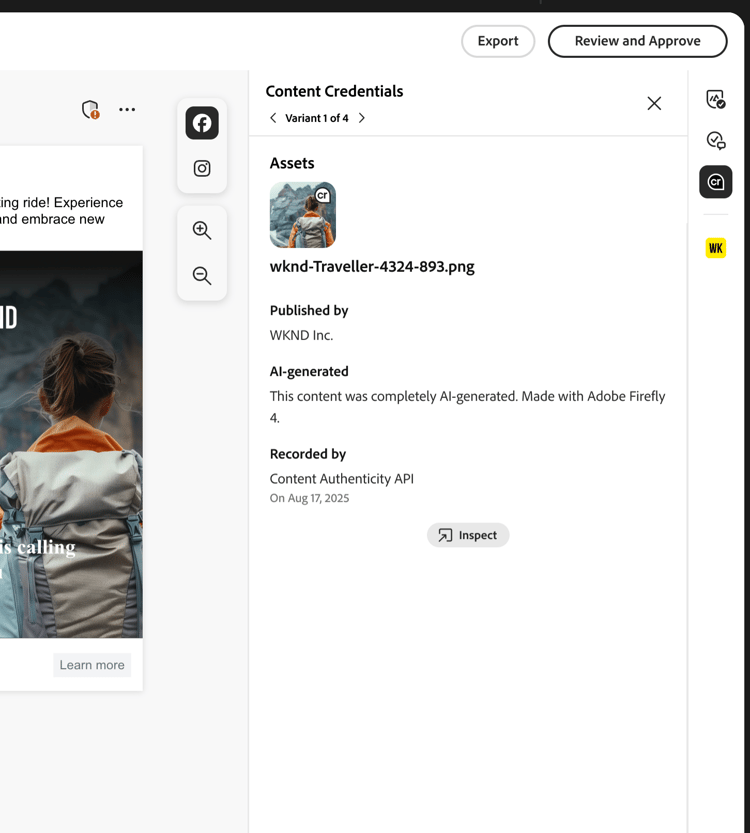
Per-variant credential details are shown as reviewers inspect the assets. Approved experiences are re-signed when users click Save to Content.

Activation and export
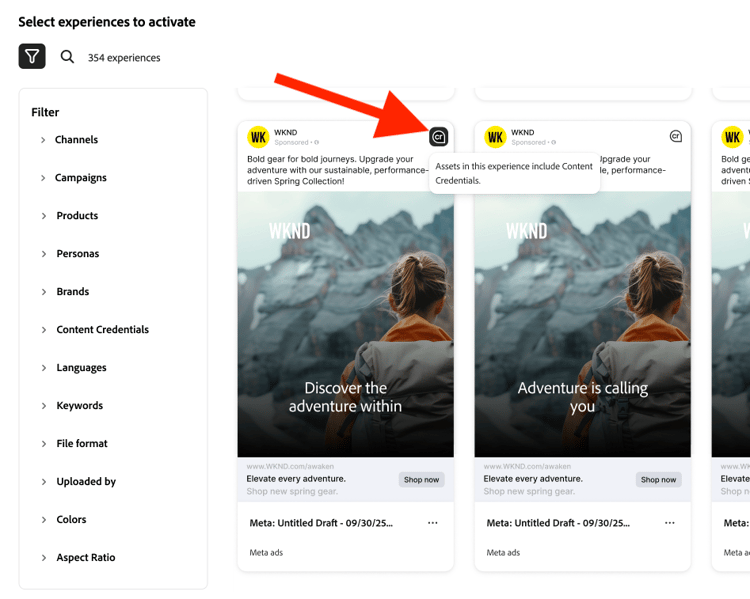
During Activation, credential status shows in the Experience selector.
Exported files will have C2PA-compliant credentials embedded.
Exported assets also retain their lineage. The embedded credential records the assets that the export was derived from, so an exported experience can be traced back through its edits to the original imported asset. Because the lineage travels inside the file, it remains inspectable after the asset leaves GenStudio for Performance Marketing.
Credential integrity is maintained across all supported formats (JPEG, PNG, MP4).
Related information
- Content transparency
- Content Credentials at Adobe