AI Assistant overview ai-assistant
AI Assistant is a user interface feature designed to help you navigate and understand Adobe concepts. You can use AI Assistant to better understand product knowledge use cases in several products across Adobe Experience Cloud, including Federated Audience Composition.
In Federated Audience Composition, you can access product knowledge to learn about Adobe concepts related to different parts of the process. AI Assistant supports four types of use cases: Open discovery (explore product concepts based on Experience League documentation), Targeted learning and troubleshooting (ask questions about specific features or functionality), Operational insights (ask questions about your objects within Federated Audience Composition), and Creating federated audience compositions.
Access access
To access AI Assistant, select


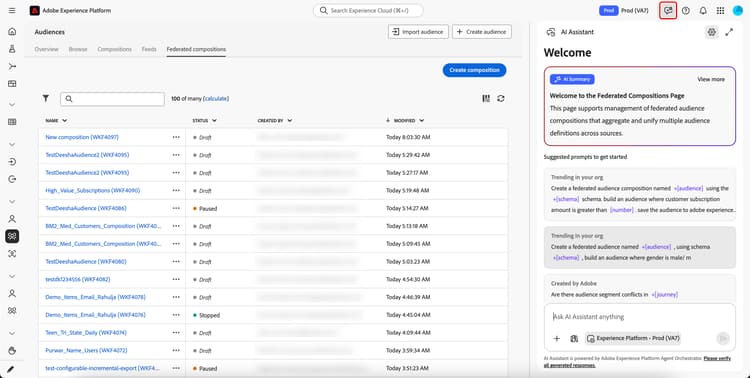
Using AI Assistant using
Once you’ve opened AI Assistant, enter your question in the field at the bottom of the screen and press enter. The answer to your question is now displayed. You can use thumbs up or thumbs down to rate your answer.
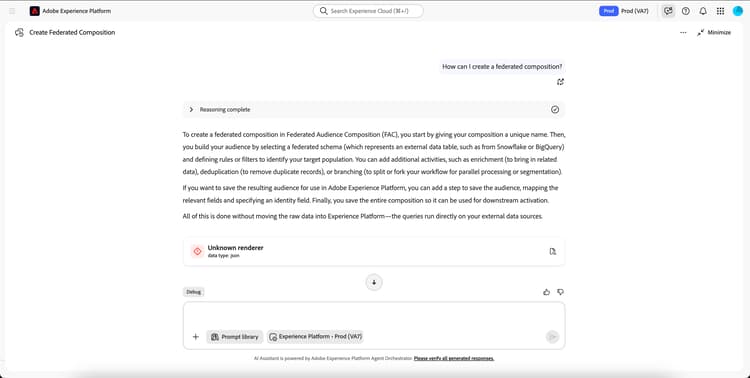
Sample questions sample-questions
The following queries show the available types of questions you can ask AI Assistant:
- What is Federated Audience Composition?
- How can I configure a Snowflake Federated database account?
- How can I create a federated composition?
- How many federated databases do I have in my sandbox?
- How many schemas have I created in the last 30 days?
- Create a federated audience of customers living in the UK.
Additionally, you can use AI Assistant to autonomously create a federated audience composition.
Create an audience create-audience
You can use AI Assistant to create a federated audience composition using natural-language prompts. When you use AI Assistant to create an audience, AI Assistant comes up with a plan based off of your prompt and executes it within your browser using AI-powered automation.
For example, if you ask AI Assistant to “Create a federated audience of customers living in UK using the schema CUSTOMERS_Table”, AI Assistant will lay out the plan it will undertake to create the audience, including steps such as navigating to the Federated compositions page, how the agent will create the composition, and saving the audience once it’s completed.
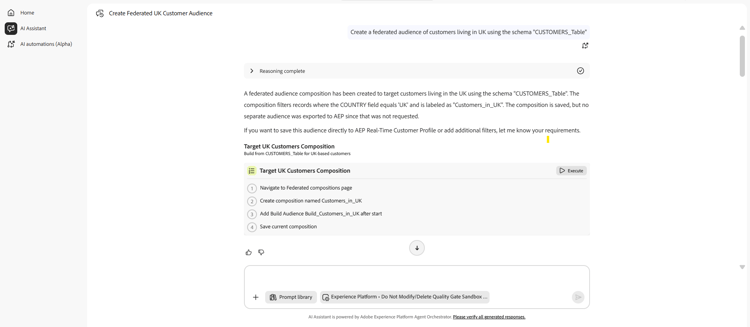
If the plan looks accurate, you can select Execute to let the agent go through its automation. The agent will, within the browser, autonomously go through the steps of creating your requested composition within the Federated Audience Composition UI. If, at any point, you want to stop the automation, select Stop.
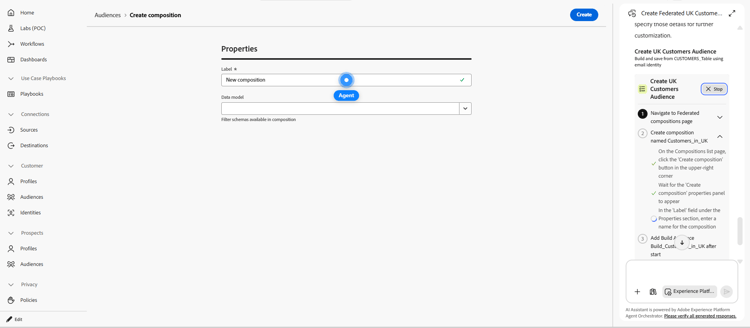
Currently, the audience creation skill supports the following additional features:
- Scheduler
- You can create federated compositions that run on a recurring schedule. Supported values include Once and Daily.
- Deduplication
- You can deduplicate the federated data records during data reconciliation
Next steps
For more information about AI Assistant, including example objectives you can accomplish with AI Assistant, and learning how AI Assistant works, read the AI Assistant overview.
For a full list of the Operational Insight questions you can ask for Federated Audience Composition, read the operational insights section.