Push notification settings push-notifications
This configuration section allows you to set a VAPID public key for push notification authentication.
NOTE
This feature must first be enabled using Custom build components; it is disabled by default.
- Log in to experience.adobe.com using your Adobe ID credentials.
- Navigate to Data Collection > Tags.
- Select the desired tag property.
- Navigate to Extensions, then click Configure on the Adobe Experience Platform Web SDK card.
- Expand Custom build components, then enable Push notifications.
- Under SDK instances, scroll down to locate the Push Notifications section.
- Enter your VAPID public key in the VAPID Public Key field.
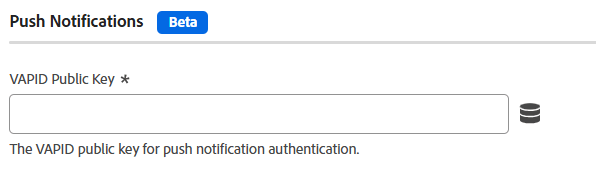
The following fields are available:
VAPID public key
The VAPID public key used for push subscriptions. It is a Base64-encoded string.
Application ID
The application ID associated with the VAPID public key.
Tracking dataset ID
The dataset ID for push notification tracking and analytics.
Push notifications using the JavaScript library
This section is the tag equivalent of pushNotifications when configuring the JavaScript library. The linked page also provides information about prerequisites and generating a VAPID public key.
recommendation-more-help
experience-platform-help-tags