Get Media Analytics Tracker
The Get Media Analytics tracker action is used to get the Legacy Media Analytics API. When configuring the action and an object name is provided, then the legacy Media Analytics API is be exported to that window object. This action is useful for moving from legacy Media Analytics to Streaming Media Analytics.
- Log in to experience.adobe.com using your Adobe ID credentials.
- Navigate to Data Collection > Tags.
- Select the desired tag property.
- Navigate to Rules, then select the desired rule.
- Under Actions, select an existing action or create an action.
- Set the Extension dropdown field to Adobe Experience Platform Web SDK, then set the Action type to Get Media Analytics tracker.
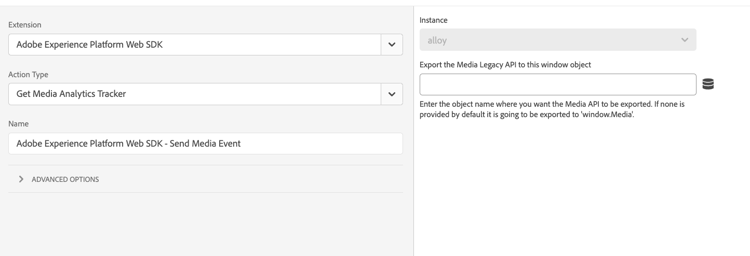
This action contains a single field that you can configure:
- Export the Media Legacy API to this window object: Selects the desired object to export the Media Legacy API to. If none is provided, the action exports the API to
window.Media.
recommendation-more-help
experience-platform-help-tags