Tagging on Screens Cloud tagging-on-Screens-Cloud
CAUTION
The Tagging feature is only available if it is enabled for your tenant. Contact AEM Screens Engineering to enable it.
Introduction introduction
User can create tags on Screens Cloud and use them to classify displays and players.
Create and manage tags create-and-manage-tags

Use the same action menu to rename a tag or delete them.
NOTE
A total of 500 tags are allowed for a tenant
Manage tags assignments manage-tags-assignments
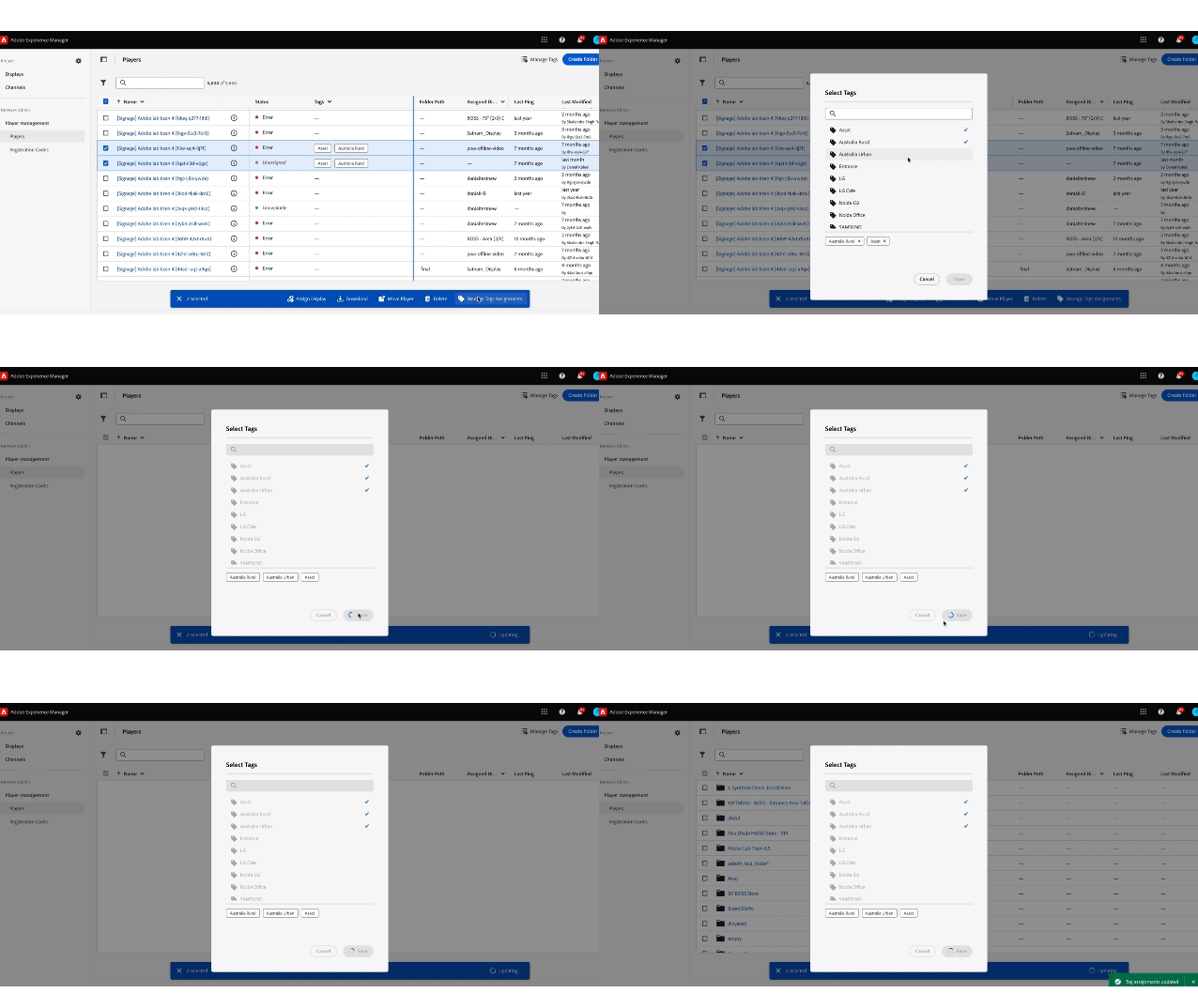
Use created tags on Displays & Players.
NOTE
A display or a player can have at max 30 tags assigned.
At most 30 items can be tagged in one go.
At most 30 items can be tagged in one go.
Filter by Tags filter-by-tags
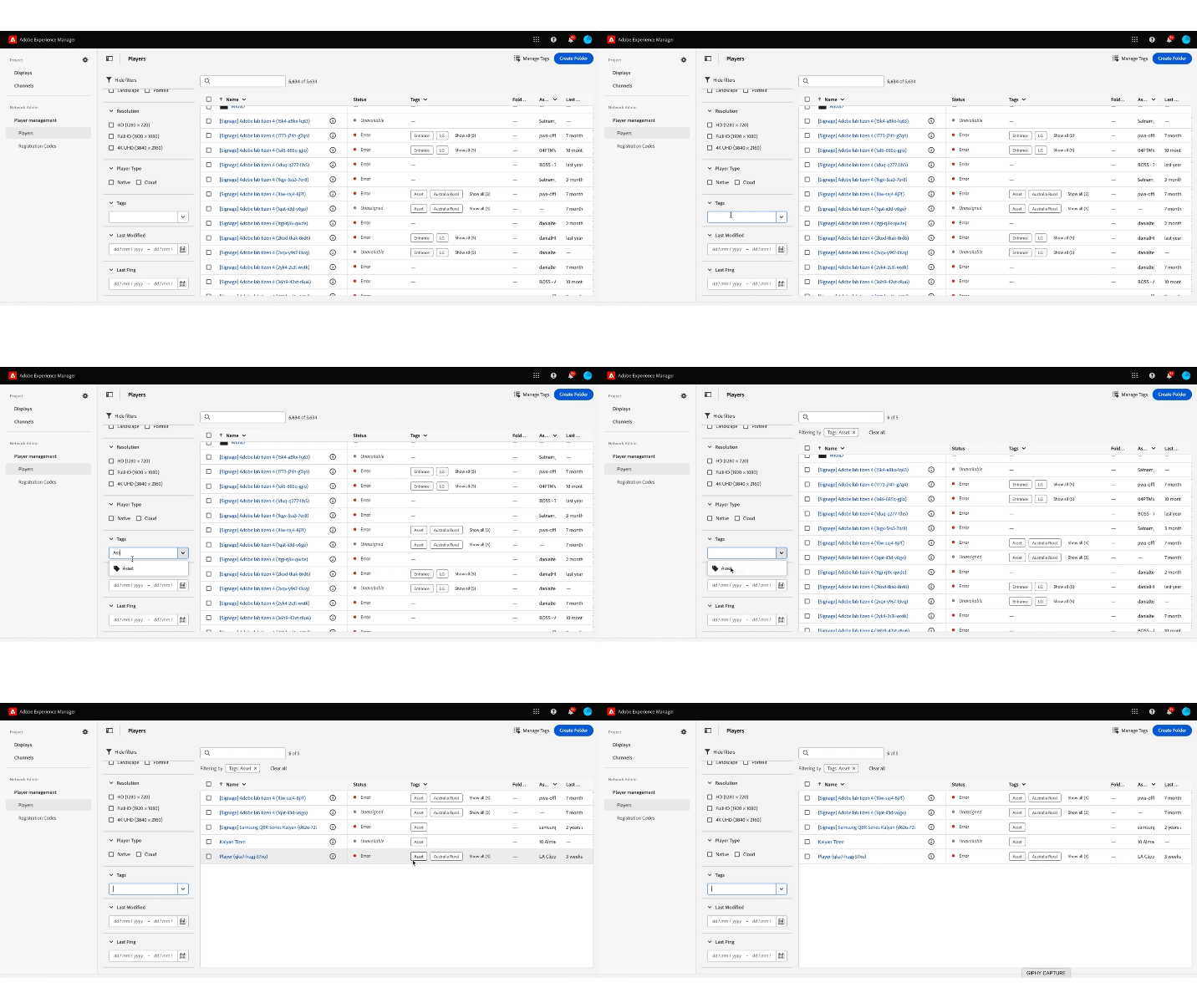
Select tags to filter the list of displays or players.
NOTE
Tags defined on Screens Cloud are not related/synced with tags defined in AEM.
recommendation-more-help
experience-manager-screens-help-user-guide