February 2026 release of Product Training and Learning content
This release note covers the new feature enhancements and issues fixed in February 2026 release of Product Training and Learning content.
New feature enhancements
The following features are introduced in the February 2026 release of Product Training and Learning content:
-
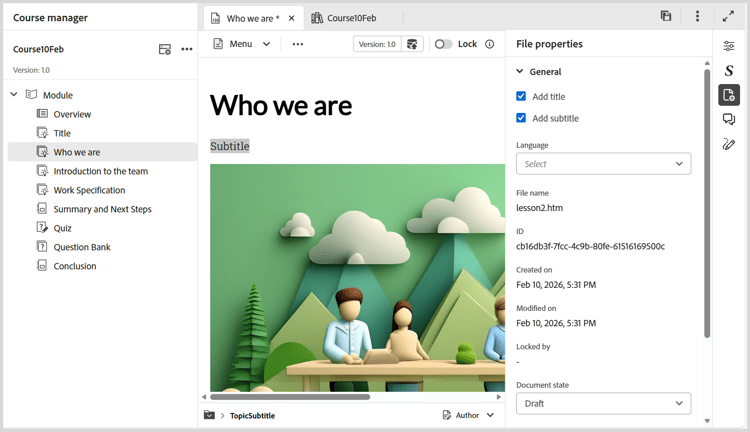
Support for subtitles: You can now add subtitles to your learning content using the new Add subtitle option in File properties. This enhances clarity and improves searchability across the course content.
For more details, view Add title and subtitle to learning content.
-
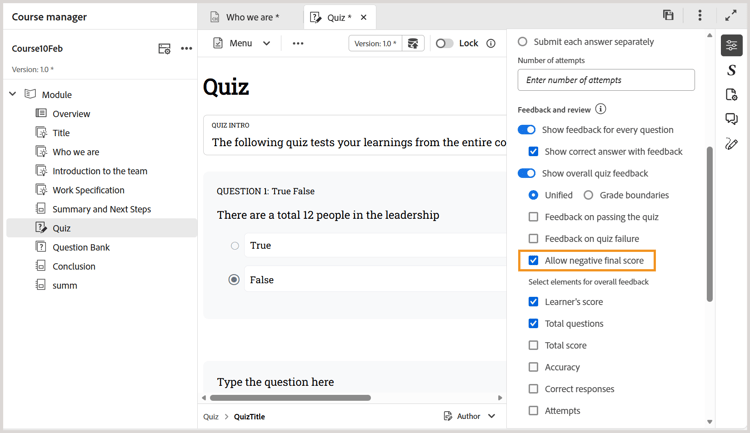
Enable or disable final negative scoring: While configuring quiz properties, you can control negative scoring using the Allow negative final score option. When enabled, learners receive a minimum final score of zero, even if negative marking is applied. This keeps learners motivated by ensuring scores never drop below zero.
Learn more about Quiz properties.
-
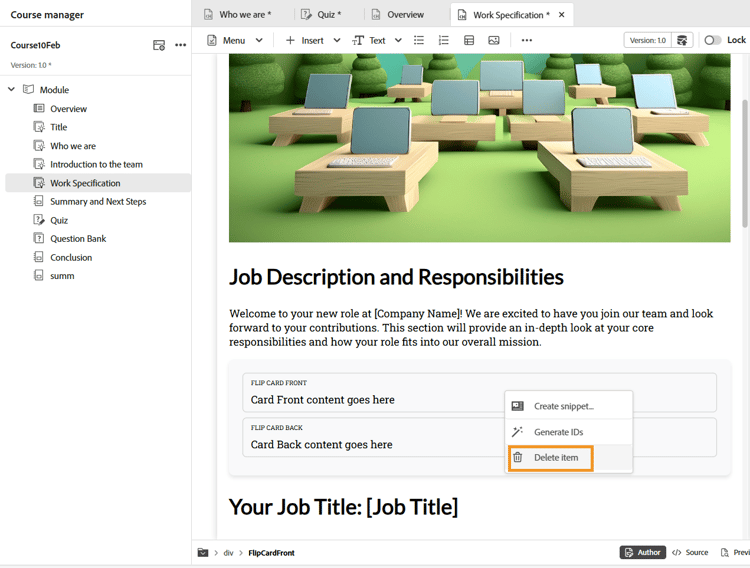
Delete widgets with a right-click: In addition to deleting quiz questions, you can now delete widgets such as Accordions, Flip cards, and other widgets with Right‑click > Delete item. This enhancement extends the existing Delete question functionality to widgets, allowing you to remove them with fewer clicks and minimal navigation.
Learn more about Use interactive widgets.
-
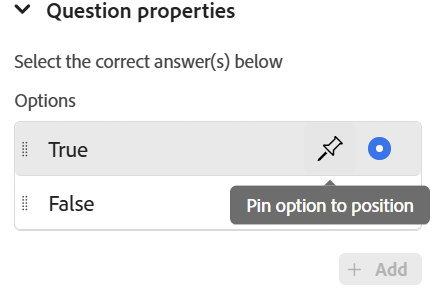
Pin answer choices: You can now pin specific answer choices so their position remains unchanged, even when answers are randomized during SCORM output generation. This is especially useful for options like All of the above or None of the above.
Learn more about Question properties.
-
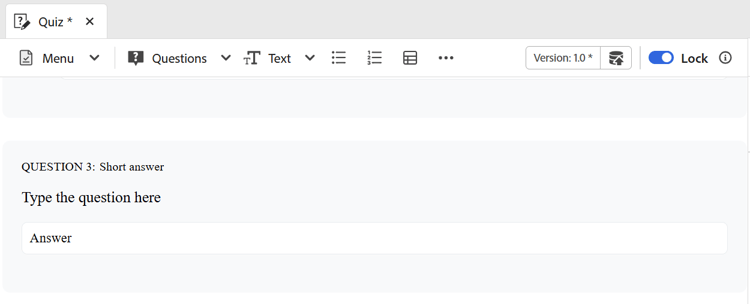
Short answer type: The Short answer question type allows learners to respond using brief, descriptive alphanumeric answers instead of selecting predefined options. This question type encourages learners to actively recall and articulate their understanding in their own words, making assessments more engaging for learners.
Learn more about Question types.
-
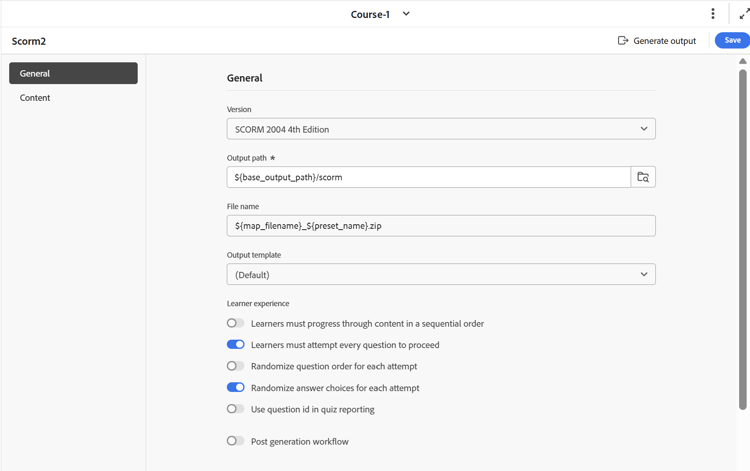
Sequential attempt for quiz questions: You can now enforce sequential quiz attempts for SCORM output using the Learners must attempt every question to proceed option in SCORM output preset. When enabled, learners must answer each question before moving to the next, with navigation restricted until the current question is completed. This ensures a guided, step‑by‑step assessment flow and a consistent learning experience.
For more details, view Configure SCORM output preset.
Fixed Issues
The following issues are fixed in the February 2026 release of Product Training and Learning content:
- When publishing the SCORM output and deploying it on ALM, the L2 Quiz report shows incorrect total and maximum scores for quiz that use multiple attempts and randomized question bank selection. (GUIDES-38855)
- When any course is generated on the cloud server, an unintended white space appears below the copyright footer due to the
coralui3.cssstylesheet, causing layout inconsistency. (GUIDES-38853) - When Learning course with an accordion is navigated using the keyboard, the + sign or the tab title is not highlighted, preventing visual identification of the active element. (GUIDES-38852)
- For courses generated using the SCORM carbon template or the default template, when accessed on a mobile device in landscape mode, the Table of Contents (Course Menu) fails to display module links preventing navigation. (GUIDES-38851)
- When replicating the hierarchy for a course in Experience Manager Guides, creating a Learning object requires first creating a Learning group, as object‑level additions are not supported. (GUIDES-38849)
- Attempts to access the dropdown options in Match the following question type using the keyboard fails as the options do not respond to tab or arrow key preventing navigation. (GUIDES-38985)
- Applying a heading style preset causes the selected text to disappear, likely due to the font color changing to white, making the text un-selectable and not visible. (GUIDES-39981)
- When using Experience Manager Guides on Mozilla Firefox, the Flip card displays the front‑side text in reverse on the back side after flipping. (GUIDES-39983)
- When you click the Table of Contents (TOC) in the left pane for the course, the course continues to show a completion status even if the quiz has been failed. (GUIDES-40398)
- Attempting Match the following question type in a quiz incorrectly in ALM, results in the selected options not appearing in the report. (GUIDES-38640)
- When generating the PDF output, the applied authoring styles are not preserved, resulting in inconsistencies in design. (GUIDES-38642)