Release notes for Cloud Manager 2024.10.0 release-notes
This page documents the release notes for Cloud Manager 2024.10.0.
Release date release-date
The release date for Cloud Manager 2024.10.0 is October 3, 2024.
The next release is planned for November 7, 2024.
What’s new what-is-new
- The AEM Archetype version used in Cloud Manager is now updated to version 26. See [https://github.com/adobe/aem-project-archetype/releases](https://github.com/adobe/aem-project-archetype/releases)
Private beta program private-beta-program
Be a part of Cloud Manager’s private beta program and have a chance to test upcoming features.
Bring Your Own Git - now with support for GitLab and Bitbucket gitlab-bitbucket
The Bring Your Own Git feature has been expanded to include support for external repositories, such as GitLab and Bitbucket. This new support is in addition to the already existing support for private and enterprise GitHub repositories. When you add these new repos, you can also link them directly to your pipelines. You can host these repositories on public cloud platforms or within your private cloud or infrastructure. This integration also removes the need for constant code synchronization with the Adobe repository and provides the ability to validate pull requests before merging them into a main branch.
See Add external repositories in Cloud Manager.
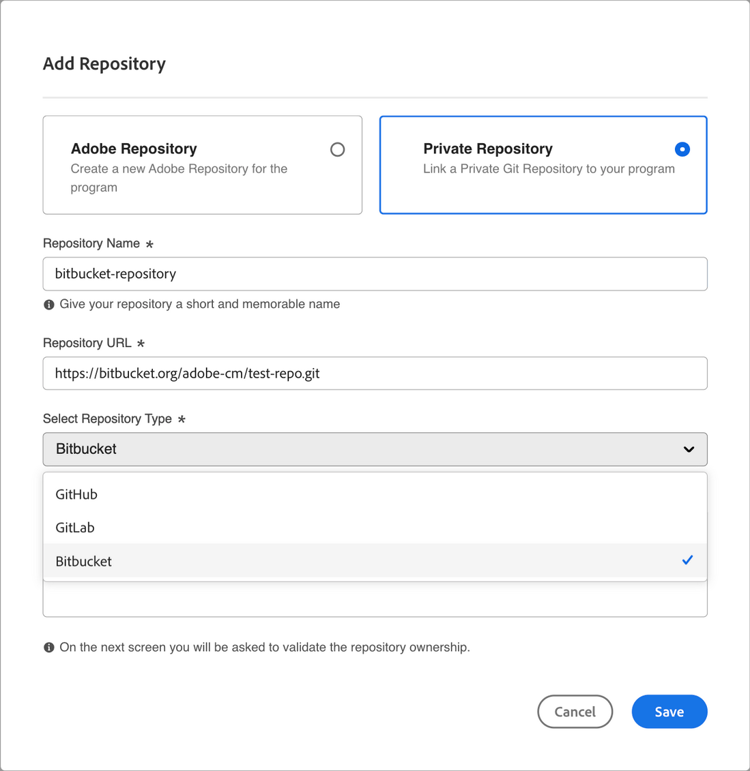
If you are interested in testing this new feature and sharing your feedback, send an email to Grp-CloudManager_BYOG@adobe.com from your email address associated with your Adobe ID. Be sure to include which Git platform you want to use and whether you are on a private/public or enterprise repository structure.
Staging-only and production-only pipelines staging-production-only-pipelines
Adobe announces the introduction of support for staging-only and production-only pipelines. This new feature lets you divide full-stack production deployment pipelines into smaller, more specialized deployments.
If you would like to test this feature and provide feedback, email Grp-cloudmanager_splitpipelines@adobe.com from your email address associated with your Adobe ID.