Marketo Activities Data Retention Policy - Impact on Reporting
Description description
-
Overview
-
Marketo Analytics Reports
-
Report Type
- Revenue Cycle Explorer Reports
- People Performance Report
- People by Status
- People by Revenue Stage
- Success Path Analyzer
- Social Influence Report
- Opportunity Influence Analyzer
- Email Performance
- Email Link Performance
- Email Insights
- Sales Insight Email Performance
- Landing Page Performance
- Web Page Activity
- Company Web Activity
- Program Performance
- Engagement Stream Performance
- Campaign Activity
- Campaign Email Performance
-
Reporting Workarounds
- Export the Data
- Use Custom Fields
-
Where to go for More Information
Overview
Starting August 15, 2018, Marketo will be implementing a new policy for the retention of marketing activity data. Under this policy, Activity and Campaign Membership data will be stored for a rolling 25 months past the activity date, and high-volume activity data will be retained for a rolling period of at least 90-days past the activity date. Beyond these retention periods, the data will not be available through the Marketo UI.
Marketo Analytics Reports
With data being retained for up to 25 months, some Marketo Analytics reports will be affected. Not all reports will result in changes – reports that draw data from lead activity logs will only show data for up to 25 months. Other reports that do not reference lead activity at all will be unaffected.
However, even reports that do not reference lead activity by default could be affected if there are filters added to the smart list of the report. Filters that reference lead attributes (information in fields in the lead record) will not cause any change to the report. Filters that look for activities the lead had taken will only be able to access activities for up to 25 months, so if the activity occurred longer ago, it will alter the results of the report.
To help you identify exactly how each report will behave when filters are used, here is a full breakdown of every report and what to expect for the most common variations.
Revenue Cycle Explorer does not pull data from the lead database directly, so filters are not available.
A.K.A: Lead Performance Report
Use a People Performance Report to measure database growth over time. You can see how many people you added, and when.
A.K.A: Leads by Status
With the People by Status Report, you can review how well you’re moving people through the process by checking how many of them appear in each Person Status value every month.
A.K.A: Leads By Revenue Stage
The People by Revenue Stage Report will let you create a report showing which stage of your Revenue Cycle Model your people are in.
Use a Success Path Analyzer to explore the specific details that reflect both flow (amount) and velocity (speed, in terms of days) of people through the stages of your Revenue Cycle Model.
Use the Social Influence report to review the social activity you’re generating, and see how often your people tell their friends about you.

The Opportunity Influence Analyzer lets you see where you met the lead and what marketing opportunities affected them during the marketing/sales process
Use the Email Performance report to see how well your emails are performing with stats like delivered, opened, clicked, etc.
Use the Email Link Performance report to see how well the links in your emails are performing.
Email Insights provides powerful insights from historical data for Email Marketers. It consists of two separate but associated sections: Analytics and Sends.
Use the Sales Insight Email Performance report to view the performance of emails sent through Salesforce, Microsoft Dynamics, or a Gmail or Outlook plug-in.
Use the Landing Page Performance report to see how many people filled out the forms in your landing pages, and how many of them were new.
Use the Web Page Activity report to see who’s visiting your website and even subscribe to an email version of the report.
Use the Company Web Activity report to see which companies are visiting your web site. You can choose to display known or anonymous visitors, but not both in the same report.
The Program Performance report will give you great stats on how your programs are performing.
The Engagement Stream Performancereport will give you details on how your engagement content is performing.
You can use the Program Analyzer to find which programs and channels are giving you the best results.
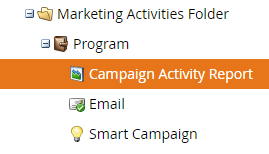
The Campaign Activity report will give you detailed information on how your smart campaigns are performing.
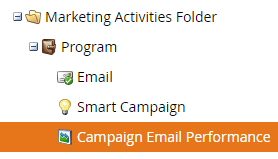
The Campaign Email Performancereport gives details on how your emails are performing, broken down by the campaigns that sent them.
Reporting Workarounds
Activity data from two years ago may be stale data for many customers. However, you may have a use case where this information is needed. Below are the ways that you can still retain this data even after the 25 month retention.
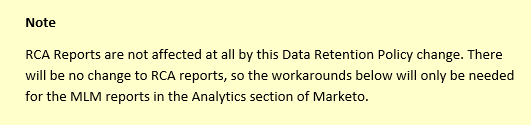
Export the Data
Marketo has developed the Bulk Extract REST API so that these lead activities can be exported and housed locally. Once you have the data extracted over the API, you’ll be able to house it and sort it however you need to for your use case.
Use Custom Fields
Lead field values are not affected by the Data Retention Policy change. You can use Smart Campaigns to populate custom fields with values based on activities your leads take. This will allow you to filter leads by these Lead attributes (not subject to retention policy changes) rather than by the activities themselves (which are subject to the retention policy).
An interesting side benefit to this is that it is faster to search by Lead attributes than by searching through Lead activity logs.
Here are some docs that will show you how to store activity data in custom fields.
- For documentation on how to use custom fields to store activity data, check out this documentation Storing Activity Data Beyond Retention Policy
- For an example of how it can be used to improve your deliverability by tracking email bounces, check out this documentation on Maintaining a Directory of Leads Bouncing Emails.
Where to go for More Information
Overview & FAQ Documentation
This doc will give you an overview of what the policy changes and answers to the most commonly asked questions:Data Retention Policy Change - Overview & FAQ
Marketo Activities Data Retention Policy
The official Marketo Data Retention Policy can be found here: Marketo Activities Data Retention Policy
Data Retention Policy - Under the Hood
Check out all of the nitty gritty details of new policy and how it will work. Marketo Activities Data Retention Policy - Under the Hood
Ways to store activity data beyond the retention policy
Here are two docs that give possible work arounds you can try
Storing Activity Data Beyond Retention Policy
Maintaining a Directory of Leads Bouncing Emails
Bulk Extract API
Check out the documentation here to find out how to use the Bulk Extract API
Contact Marketo Support
If you have additional questions, please Contact Marketo Support
Resolution resolution
For technical assistance contact Marketo Engage Customer Support.