Campaign Classic: Pipeline process is missing or failing to start
This article explains how to resolve the Adobe Campaign Classic issue where the pipeline process is missing from the Processes list within the Monitoring tab of the client console. The resolution involves ensuring there are no syntax errors in the value for the XTK Option, NmsPipeline_Config.
Description description
Environment
Adobe Campaign Classic
Issue/Symptoms
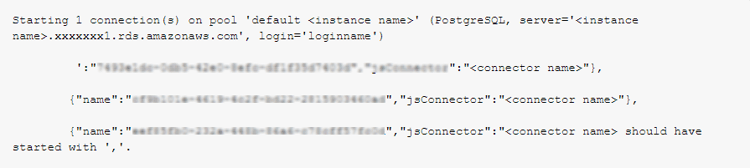
When the Infrastructure Team attempts to initiate the pipeline process, the following errors occur:
Resolution resolution
Review the value for XTK Option NmsPipeline_Config, and ensure that there are no missing brackets, commas, or other syntax errors.
In this particular instance, the opening curly brace was missing in between two connectors.
recommendation-more-help
experience-cloud-kcs-help-kbarticles