Cannot find our AEM project path on Cloud Configuration setup for Content Fragment
Description description
Environment
- Adobe Experience Manager
Issue/Symptoms
- Create a content fragment model under Tools / Assets successfully.
- Go to Assets / Files / Project name / Created a fragment folder.
- Inside the Fragment folder, try to create a Content Fragment and only the default fragment is showing (Simple Fragment).
- Based on the AEM documentation, go one step back and select the folder.
- Click Properties / Cloud services / Cloud configuration, upon the option to select the path.
- You can see all the default projects like WKND or we.retail, but cannot find the Project name to navigate to the model in order to create a Content Fragment.
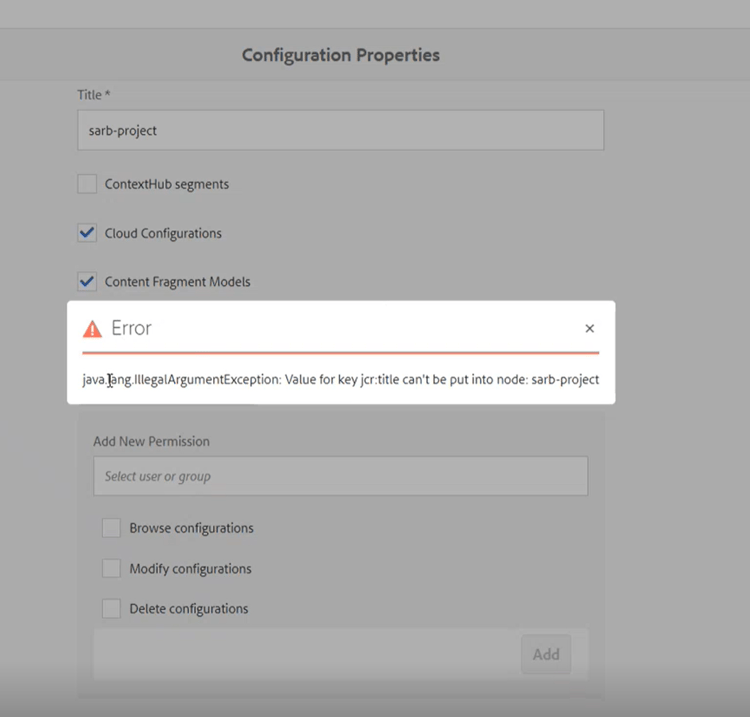
- Trying to modify the configuration was getting the following error:java.lang.IllegalArgumentException: Value for key jcr:title can’t be put into node:
Resolution resolution
Rename the node in CRXDE, create a new one with the same name and copy the properties over.
Cause
The issue is that the node under /conf has the jcr:primaryTyp property set as nt:folder, instead of sling:Folder.
Because this node has the wrong type, it is not picked up by the configuration browser as a valid path.
recommendation-more-help
3d58f420-19b5-47a0-a122-5c9dab55ec7f