Acrobat Sign webinars acrobat-sign-webinars
Learn from Adobe experts how to master new e-signature workflows in Acrobat Sign.
Release webinars releases

What's New - Acrobat Sign February 2026 Release
Discover exciting new features in Acrobat Sign's February 2026 release, including dynamic participation, upgraded user experience, and verified data auto-population.

What's New - Acrobat Sign October 2025 Release
Explore Acrobat Sign's latest features from the October 2025 release, enhancing user experience and compliance.
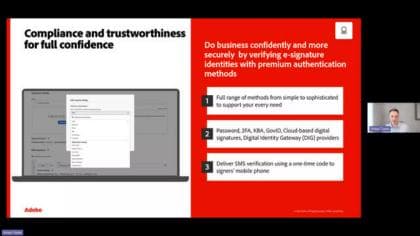
Learn all about our latest improvements - Acrobat Sign July Release 2025
Discover Acrobat Sign's July 2025 updates - PDF/A compliance, WhatsApp notifications, and enhanced agreement security for leaders and admins.
Innovation - New Feature Highlights newfeatures
Configuring Acrobat Sign for Healthcare, Life Science & FDA-Regulated Best Practices
Learn to configure Acrobat Sign for healthcare, life sciences, and FDA compliance. Understand best practices for e-signature workflows and regulations.
Getting started with Custom Workflows in Acrobat Sign
Learn how Acrobat Sign Custom Workflows automate sequential and parallel signing, templates, reminders, and compliance—hands-on webinar for admins and users.

Establishing Digital Trust at Scale - Identity Verification and Security with Acrobat Sign
Discover how Acrobat Sign enhances trust, compliance, and security through digital signatures, global identity verification, and regulation-ready solutions.

Optimize Mobile E-Signing with Acrobat Sign
Discover how Acrobat Sign enhances mobile e-signing with no-code setup for seamless agreements.
Getting Started with Web Forms in Acrobat Sign
Learn how to create, publish, and manage web forms in Acrobat Sign for streamlined signature collection and improved workflows.
101 - Get Started for Users getstartedusers

Acrobat Sign 101 - Getting Started
Learn the basics of Acrobat Sign to start getting documents signed fast.

Advanced Training on Authoring Environment
Take a deeper dive into the options available in the Acrobat Sign Authoring Environment.
101 - Get Started for Admins getstartedadmins

Power Up Your Acrobat Sign Admin Experience
Discover new admin features to streamline onboarding and maximize Acrobat Sign's potential.
Acrobat Sign 101 for Administrators on ETLA
Learn to manage users, reports, and settings in Acrobat Sign.

Advanced Reporting for Acrobat Sign
Learn about the analytics and reports available in Acrobat Sign - and see how you can view data to help deliver the insights you need to drive your business forward.
102 - Advanced Tasks advancedtasks

Advanced Tips for Sending Documents for Signature
Learn about sending to multiple recipients Available recipient roles (signer, form filler, delegator, and others) Adding a CC field Password protection, and more.

Collect Many Signatures with One Click
Learn how the Send in Bulk feature in Acrobat Sign can save you time.

Document Builder for Adobe Acrobat Sign
Give your sales team an edge with pre-populated proposals, contracts, invoices, and more in seconds by automating everyday tasks like preparing data-driven docs right in Salesforce. Document Builder allows you to dynamically generate a document using Salesforce data prior to sending for signature, making a once cumbersome process more simplistic and streamlined.

Post a Fillable, Signable Web Form
Learn how to create a web form allowing anyone to complete and sign — without you needing to initiate the transaction or even know the email address of the signer.

Workflow Automations Powered by Microsoft Power Automate
Harness all the automation capabilities with Microsoft's low-code/no-code solution, Power Automate, directly in Adobe Acrobat Sign.