2. Firefly Graph key concepts
Learn about the key concepts to help you get started with Firefly Graph.
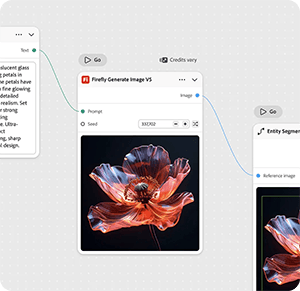
Node
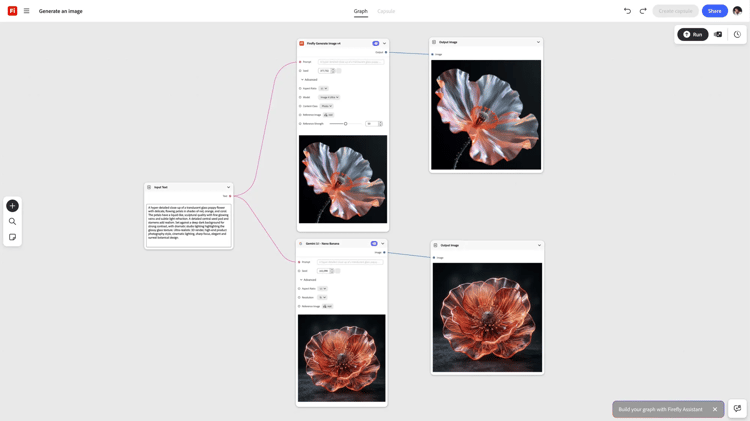
A node performs one step in the workflow — one node, one job. A node might generate an image, apply a mask, shift a color, or run any other single creative action.
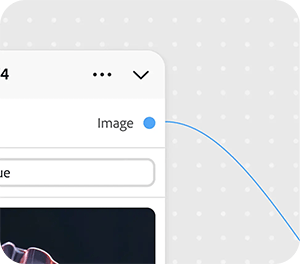
Port
The connection points on a node. Output ports pass data out of a node; input ports receive data coming in. Connecting ports is how data flows through your workflow.
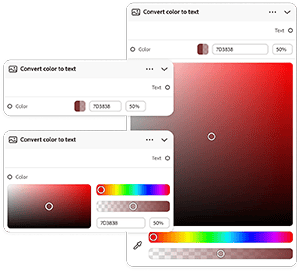
Widget
The interactive controls on a node, like text fields, dropdowns, and sliders, that let you configure its settings directly in the editor.
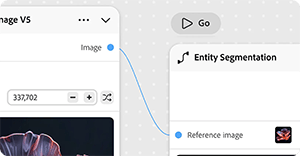
Connection
A connection carries an input or output between two nodes. A graph reads left to right, from your source input to the final output.
Graph
The complete workflow you build in the editor. A graph is made up of nodes and connections arranged on the canvas to produce a final output.
Next step
Ready to build something? Move on to 3. Create your first graph for a step-by-step walkthrough.
Return to Get started with Firefly Graph.