Getting Started - Segment an image
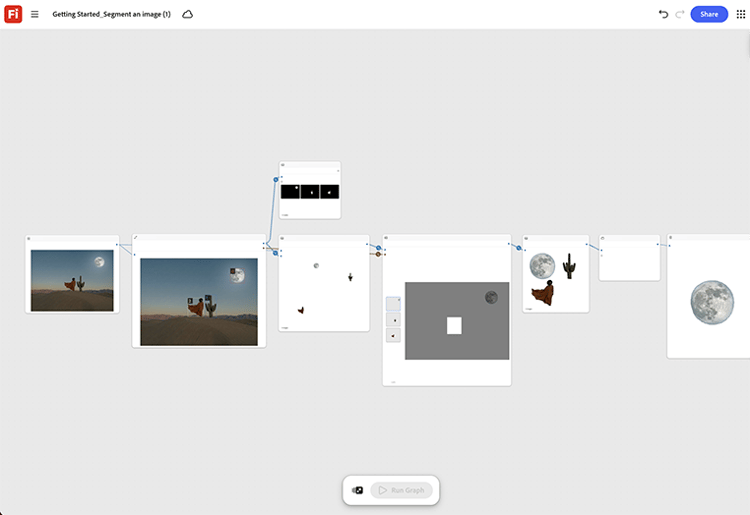
Learn how to load any source image and run the segmentation node to isolate the subject from its background. Open Getting Started - Segment an image template.
[Industry examples]{class="badge informative" title="Industry examples"}
- Health - Segment a medical device out of a busy studio shot to drop it onto a clean clinical background for a product page, without a background rescan.
- Retail - Isolate a garment from a lifestyle photo to build a clean product-only catalog image.
- Automotive - Cut a vehicle out of a location shoot to place it against a studio backdrop for print.
TIP
Before you start - For the best results customize this template to your own brand, product, and workflow. Swap in your reference images, prompts, and copy before using any output.
Return to Get started with Firefly Graph.
recommendation-more-help
creative-cloud-enterprise-learn-help