Work with dynamic JavaScript pages dynamic-javascript-pages
About dynamic JavaScript pages about
Dynamic JavaScript pages (JSSP) let you build server-side pages that generate dynamic content when accessed through a URL, such as custom APIs, exports, or web application logic. These pages are stored in the Administration > Dynamic JavaScript pages menu in the left navigation pane.
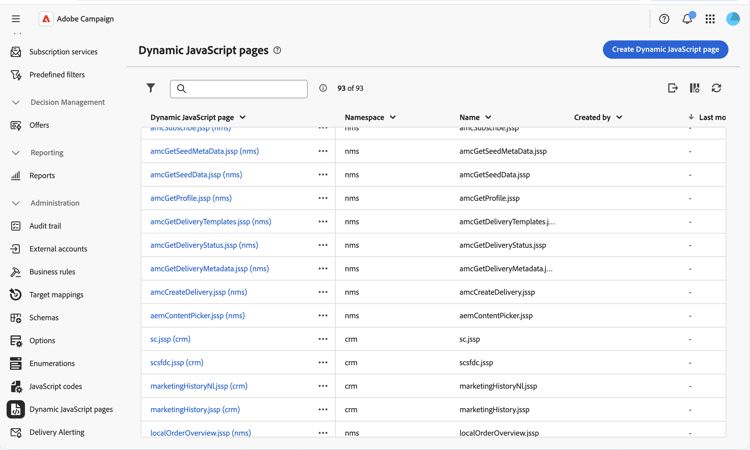
From the dynamic JavaScript pages list, you can:
- Duplicate or delete a page: Click the ellipsis button, and select the desired action.
- Modify a page: Click a page’s name to open its properties, make your changes, and save.
- Create a new dynamic JavaScript page: Click the Create Dynamic JavaScript page button.
Create a dynamic JavaScript page create
To create a dynamic JavaScript page, follow these steps:
-
Navigate to the Dynamic JavaScript pages menu, and click the Create Dynamic JavaScript page button.
-
Define the page’s properties:
- Namespace: Specify the namespace relevant to your custom resources. By default, the namespace is “cus”, but it may vary depending on your implementation.
- Name: The unique identifier used to reference the page.
- Label: The descriptive label displayed in the dynamic JavaScript pages list.
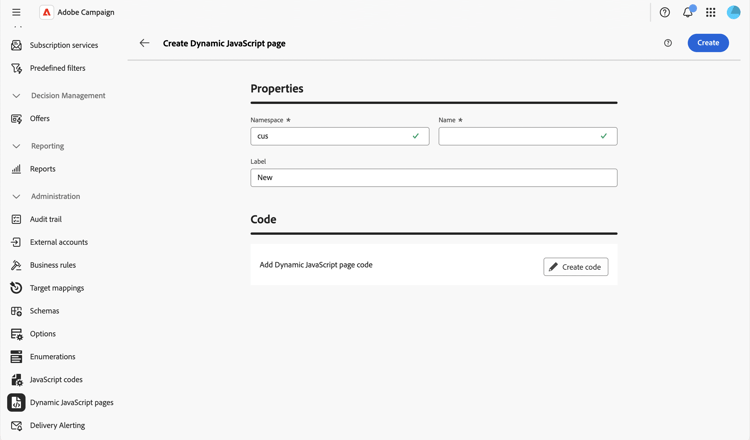
note NOTE Once created, the Namespace and Name fields cannot be modified. To make changes, duplicate the page and update as needed. -
Click the Create code button to define the page’s content, then write your JSSP code using
<%@ page %>directives andNL.require()calls to load core libraries.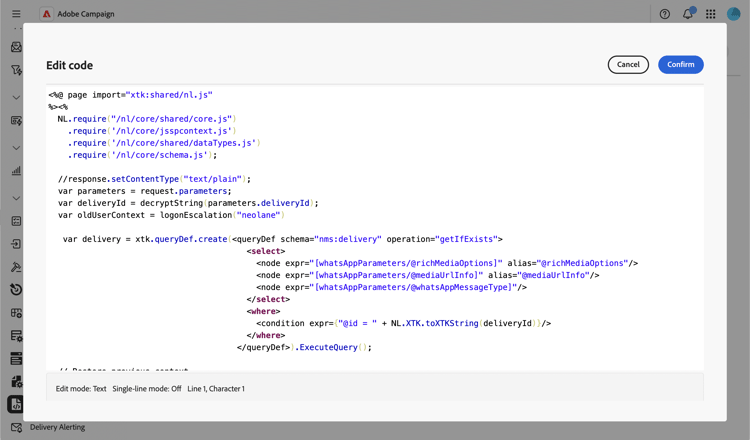
-
Click Confirm to save your code.
-
When your dynamic JavaScript page is ready, click Create. The page is now accessible at a URL built from its namespace and name, in the format
https://<your-instance>/<namespace>/<name>. For example, a page namedrecipientAPI.jsspin thecusnamespace is accessible athttps://<your-instance>/cus/recipientAPI.jssp.
For more information on reusable JavaScript functions, refer to Work with JavaScript codes.