Validate Profile on Edge
Learning objective
Confirm that the profile does not exist on the Edge network profile store.
Check the Edge Profile
-
Click on the Attributes tab and the Edge radio button to see the Edge Profile

note NOTE It is possible you may see a “stripped down” version of the profile that consists of only the identities depending on how much time has passed. -
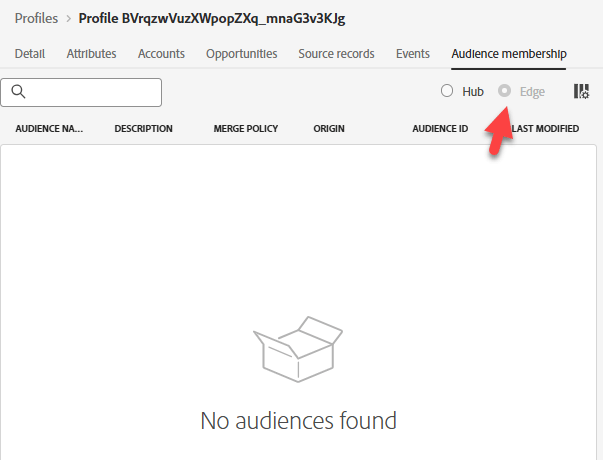
Click on the Audience Membership tab. It will be blank.
NOTE
Why no Edge Membership?
Shouldn’t we have seen dep: Any Event Edge (within the hour) qualify?
Even though we have an audience that has an Edge evaluation, that audience does not exist on the Edge because we have no reason for it out there… yet.
If we were to use that audience (e.g. Decisioning or Destinations), then the audience rules will be pushed to the Edge and next time an event is streamed into the Edge, it will evaluate that audience.
Also, we didn’t turn on Edge Segmentation Services.
Recap
The profile does not exist on the Edge (yet)
recommendation-more-help
blueprints-learn-help-blueprints