Validate event on Data Lake
Learning objective
Verify that the web event was written to the Experience Platform Data Lake.
Validate event
NOTE
Eventually the data will appear in the Data Lake. This could take up to 60 minutes. We know the dataset is enabled for profile and thus the event will create a profile fragment.
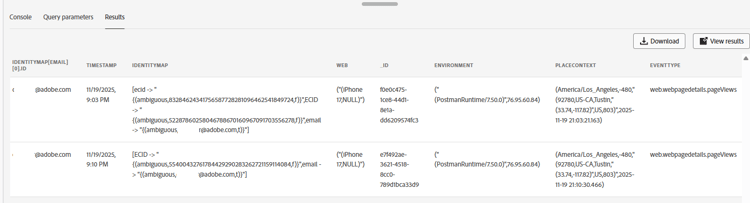
You can find and query the Web dataset.
-
Go to Queries and Create Query

-
Copy this SQL and paste it into your query
code language-sql SELECT identityMap['email'][0].id, * FROM dep_web where identityMap['email'][0].id = 'henry.creel@emailsim.io' -
Run Query
NOTE
Remember: Eventually the data will appear in the Data Lake. This could take up to 60 minutes.
You do not need to wait for it to appear. Feel free to come back to this step and check later.
Recap
The event record appears in the appropriate dataset.
recommendation-more-help
blueprints-learn-help-blueprints