Create datastream
Learning objective
Create and configure a datastream with the required services to enable Edge event processing.
A Datastream defines which services that will utilize it.
- When sending data to the Edge you specify which Datastream to use
- Data sent to these Datastreams can then take action according to the service configured
- Adobe Experience Platform
Create a new datastream
- In the left rail under Data Collection click on Datastreams
- Then click on New Datastream to create one

Configure datastream
Configure the datastream with following information:
- Name -> Datastream SB + <sandbox name> (i.e. Datastream SB01)
- Mapping Schema -> dep: Web
- Toggle on all the options under Geolocation and Network Lookup if you want to capture this info.
- Click on the Save button when done

After you save your datastream, you see the following screen:

Add Adobe Experience Platform service
This allows you to send data to the Hub and land in a dataset for data received by this Datastream.
-
Click the blue Add Service button found in the middle of the screen

-
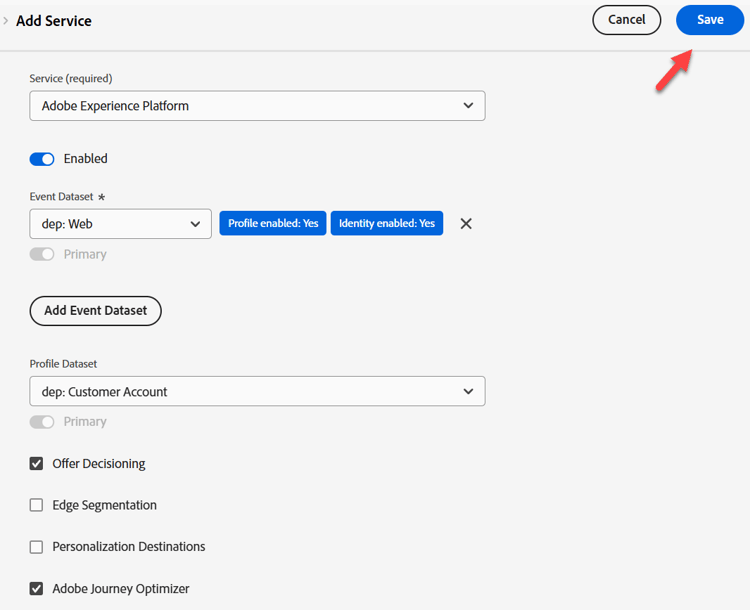
Configure the following items:
- Service ->
Adobe Experience Platform - Event Dataset ->
dep: Web - Profile Dataset ->
dep: Customer Account - Select Checkbox ->
Offer Decisioning - Select Checkbox ->
Adobe Journey Optimizer
- Service ->
-
When done click Save
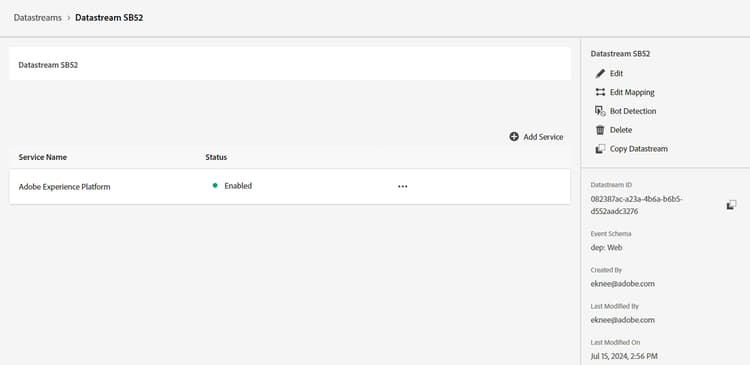
You see the service now added to your datastream
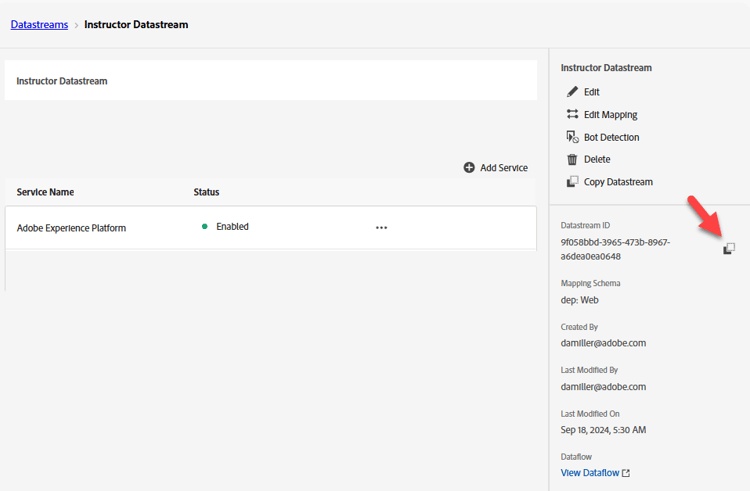
Copy and save the Datastream ID to your local computer (we will use it later in Postman)
Recap
You should have a functioning datastream with Adobe Experience Platform service configured.