Create Edge Audience
This Audience will be used to qualify someone when a payload (e.g. page view) comes from the client (e.g. Web SDK) to the Edge.
Create audience
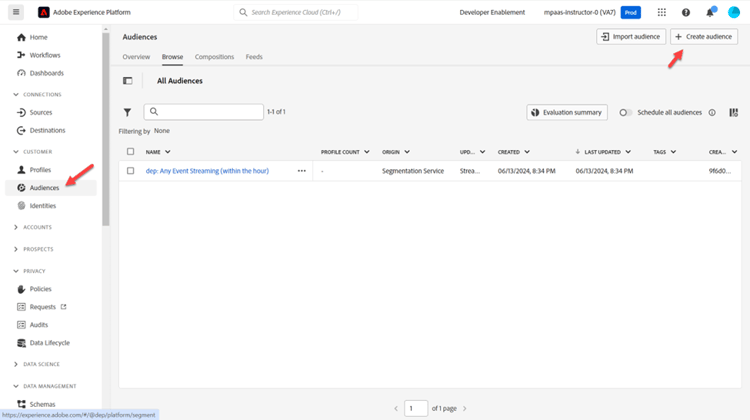
- In the left rail click on Audiences
- Then click on Create Audience in the upper right corner of your screen
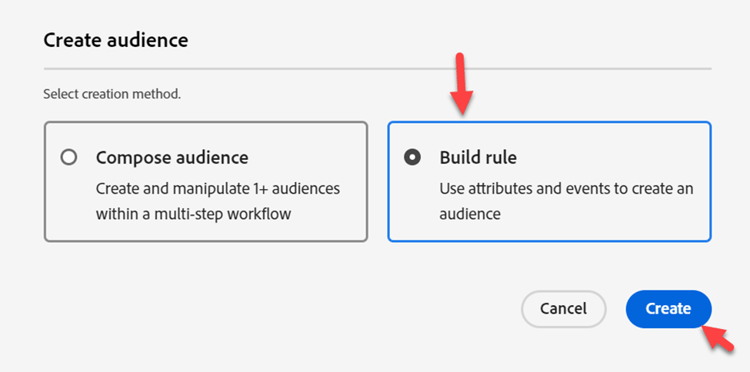
- Then click on Build Rule
Convert audience to rules
-
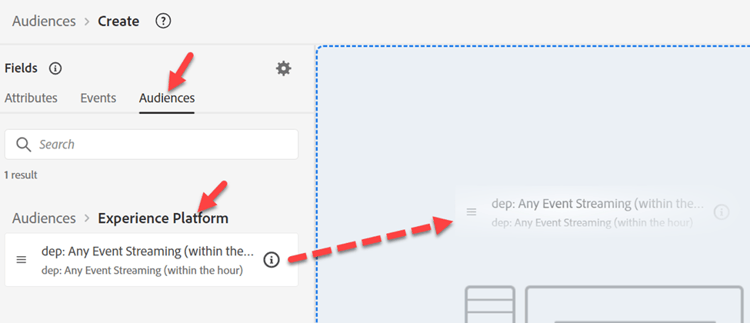
Go to Audiences and click into the Experience Platform folder
-
Drag 'n drop the audience named dep: Any Event Streaming (within the hour) onto the canvas
-
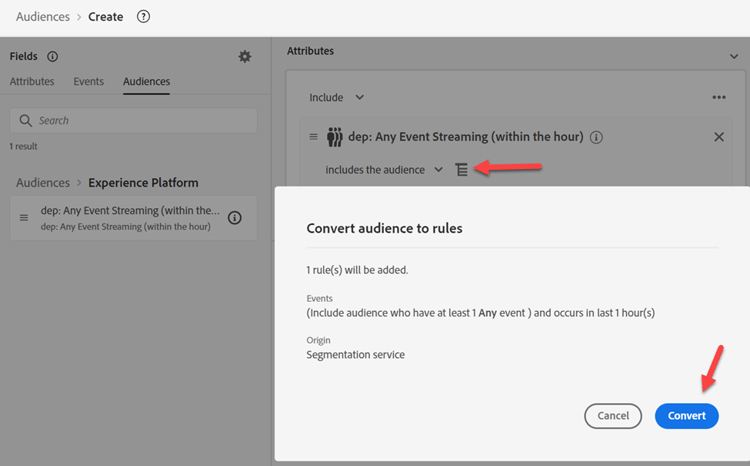
Convert the audience to a set of rules in the canvas by clicking on the icon show below and then click Convert
Update event rules
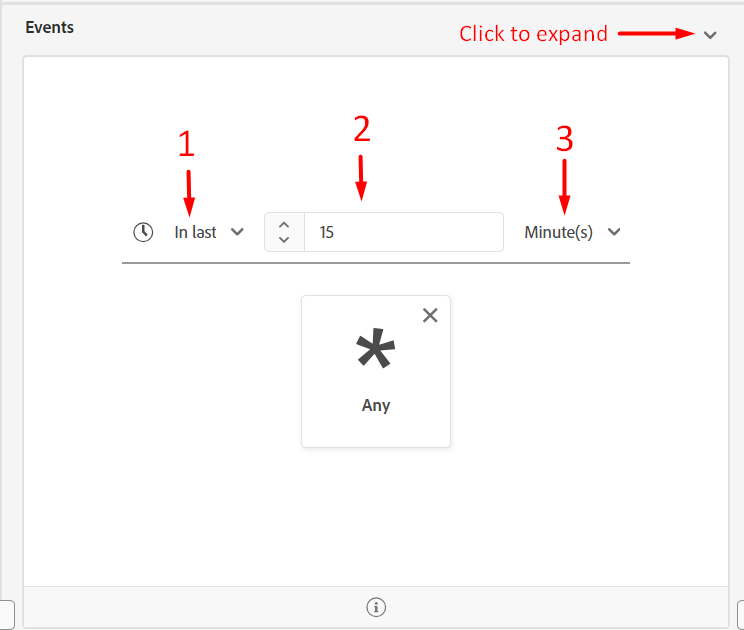
Make the following changes to the event rules (you may need to expand the event to see it)
- In Last
- 15
- Minutes
Publish segment
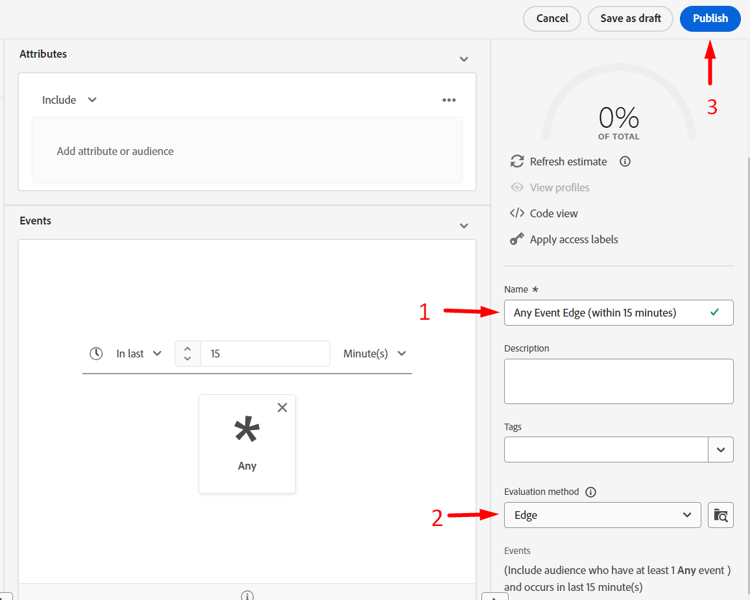
- Update the name of the segment to Any Event Edge (within 15 minutes)
- Update the evaluation method to Edge
- Publish the segment
Create batch evaluated segment
Repeat the same steps you just did for the edge segment you created but use the following information instead:
Event rules:
- In Last
- 1
- Day
Segment Details:
- Name -> Any Event Batch (within 1 day)
- Evaluation Method -> Batch