Create Datastream
A Datastream defines which services will utilize it.
-
When sending data to the Edge you specify which Datastream to use
-
Data sent to these Datastreams can then take action according to the service configured
- Event Forwarding
- Adobe Experience Platform
Create a new datastream
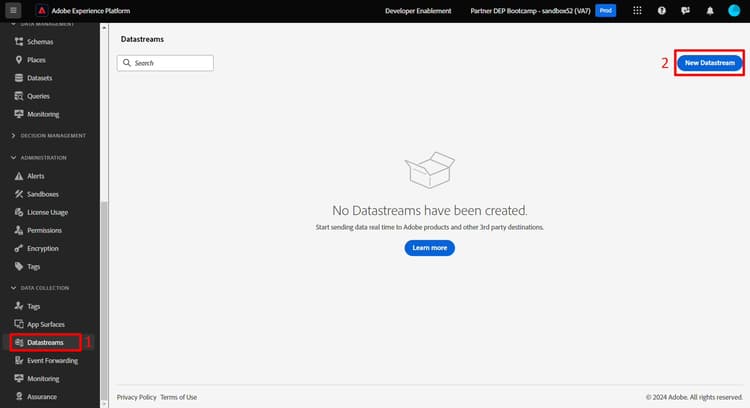
- In the left rail under Data Collection click on Datastreams
- Then click on New Datastream to create one
Configure datastream
Configure the datastream with following information:
- Name -> Datastream SB + <sandbox name> (i.e. Datastream SB01)
- Event Schema -> dep: Web
- Toggle on all the options under Geolocation and Network Lookup
- Click on the Save button when done

After you save your datastream you see the following screen:
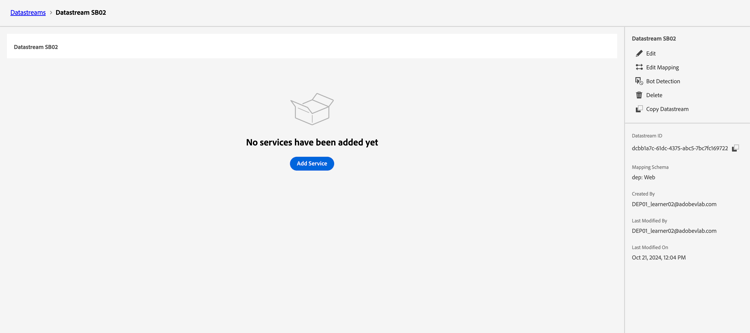
Add event forwarding service
This allows you to use Event Forwarding for data received by this Datastream.
-
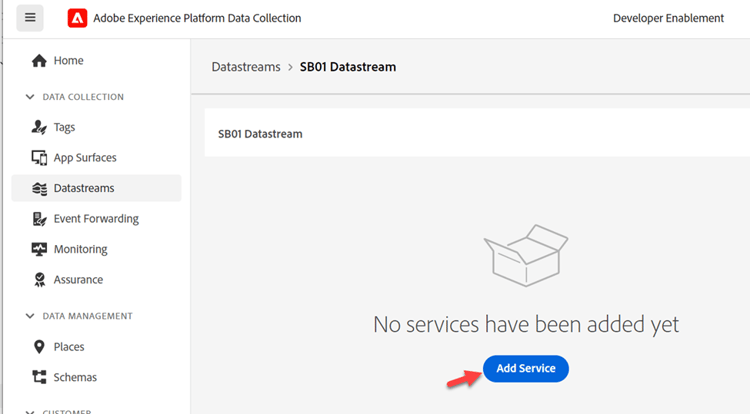
Click on Add Service
-
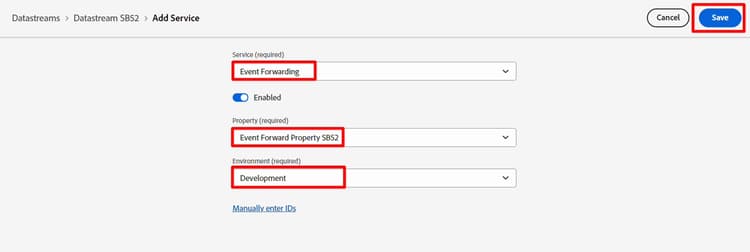
Configure the following items:
- Service -> Event Forwarding
- Property -> Select the property you created in the previous step. It should be named like so: Event Forwarding Property SB + <your sandbox number>
- Environment -> Development
-
When done click Save
Add Adobe Experience Platform service
This allows you to send data to the Hub and land in a dataset for data received by this Datastream.
-
Click on Add Service

-
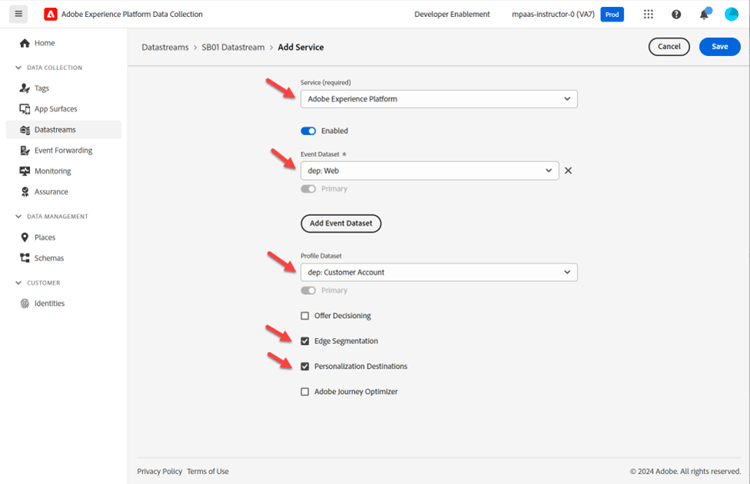
Configure the following items:
- Service -> Adobe Experience Platform
- Event Dataset -> dep: Web
- Profile Dataset -> dep: Customer Account
- Select Checkbox -> Edge Segmentation
- Select Checkbox -> Personalization Destination
-
When done click Save.
-
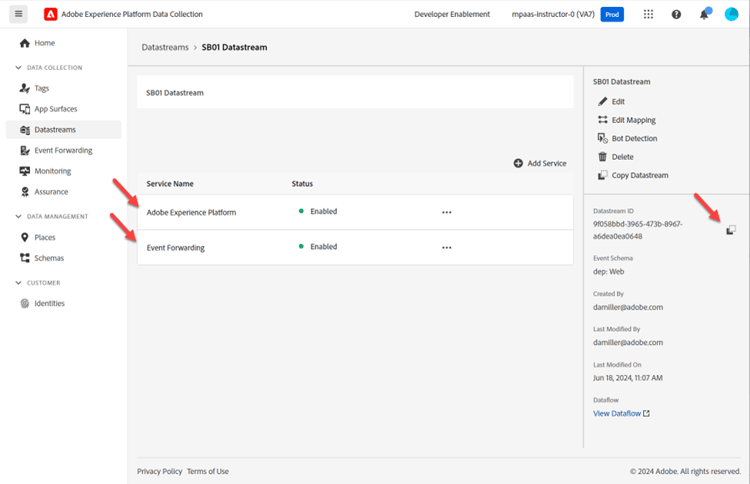
Your final screen should look like below with two services present. Copy and save the Datastream ID to your local computer (you use it later in Postman)