Sandbox access
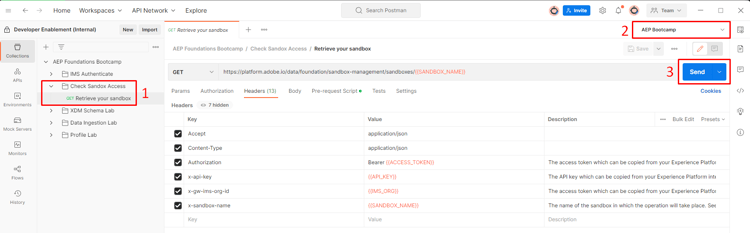
Before you continue, double check that your access is legit. Perform the following steps:
- Open the folder titled
Check Sandbox Accessand click on the call titledRetrieve Your Sandbox - Next in the upper right corner of Postman you see an Environment drop-down box. Be sure to select the
AEP Bootcampenvironment - Execute the call by clicking the
Sendbutton
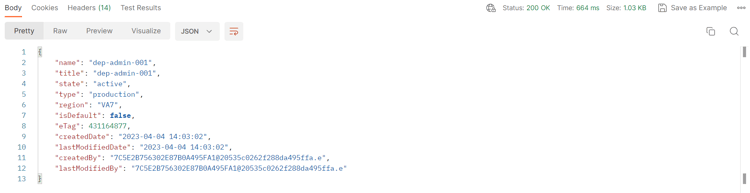
A successful response looks like so:
NOTE
The name value should match the sandbox_name variable in your postman environment
TIP
Congratulations! You are ready to start using the Experience Platform APIs
recommendation-more-help
blueprints-learn-help-blueprints