Verify ingested profile
Streaming validation
Validating streaming data within the Adobe Experience Platform requires a few different steps. Remember that streaming data can write to multiple databases depending on the dataset’s configuration.
Depending on what you are trying to validate you may have to go to a few different places as you can see from above. In this scenario, you wrote the data to the profile (as you had enabled the dataset for the profile) so check the Profile Store to see if the profile is there.
Look up your profile
-
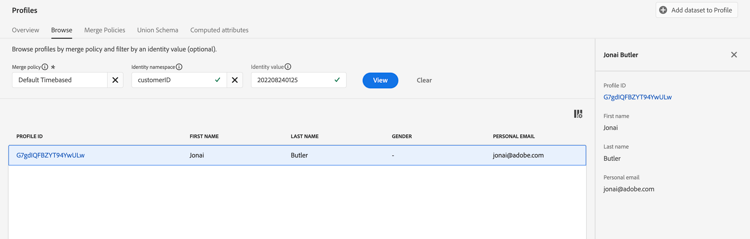
In the UI navigate to the Profiles -> Browse
-
Enter the following values into the Identity namespace and Identity value input boxes:
- Identity namespace ->
customerID - Identity value ->
202208240125
- Identity namespace ->
-
Click the View button to look up your profile
-
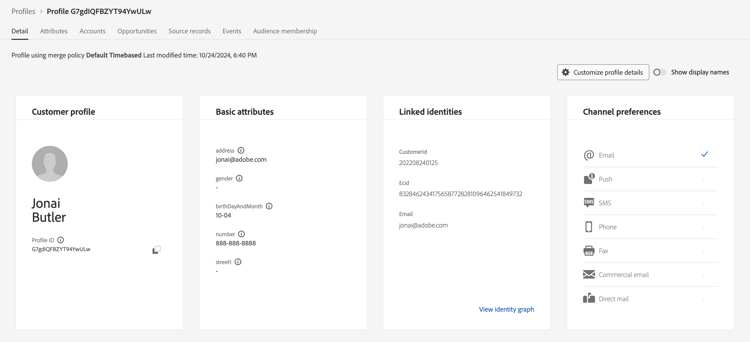
Click on the Profile ID link in the returned row to view your profile
Please take a look at your profile and validate it matches what you streamed in. Pretty cool huh!