Retry a failed dataflow
To retry a workflow, do the following:
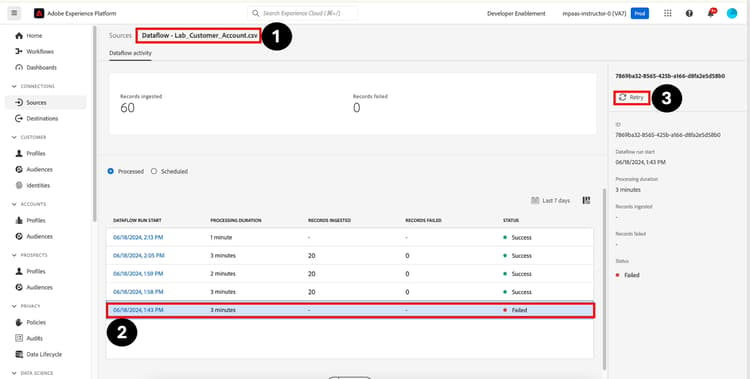
- Navigate to Sources -> Dataflows -> [Name of Dataflow] -> [Failed Run]
- Highlight the dataflow run that failed to bring up the right rail.
- Click on Retry. The retry will take the copy of the data associated with the failed run and will now apply the new mapping rules to it
NOTE
Note that when you retry a failed dataflow a new dataflow is created and executed. It will appear at the top of the list of dataflows
recommendation-more-help
blueprints-learn-help-blueprints