Create dataflow
Navigate to Sources
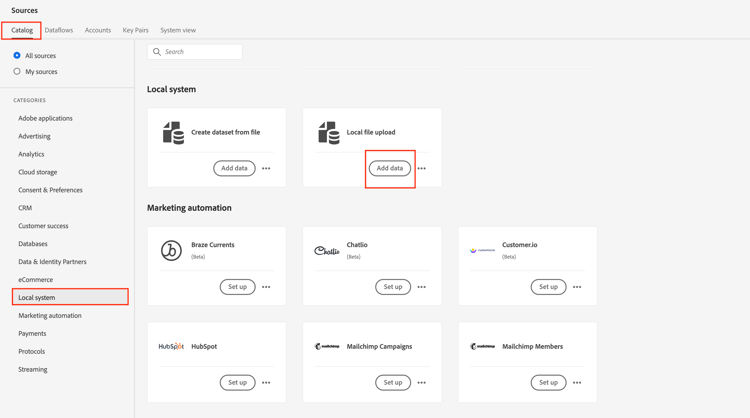
- In Adobe Experience Platform UI navigate to the following location:
Sources -> Catalog -> Local system - Next click on Add Data button for the Local File upload card
Set up the dataflow
-
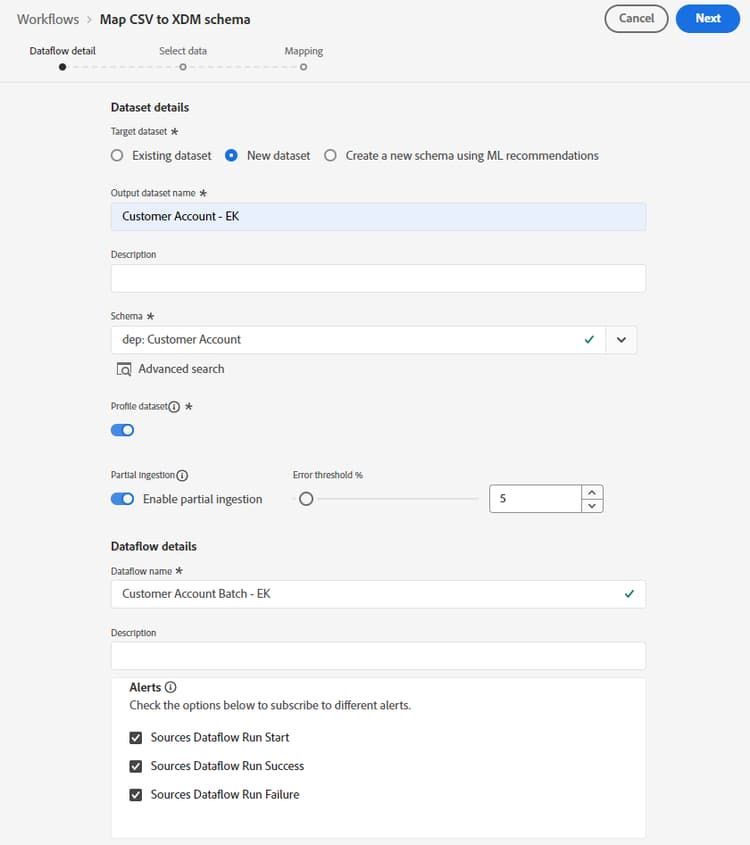
In the Dataflow detail screen, choose New dataset.
-
Name the output dataset as Customer Account - <Your Initials>
-
Select the dep: Customer Account schema from the dropdown list.
-
Turn ON the Profile dataset toggle box.
(If you do not turn this on, the Profile Store is not able to monitor for new data entering this dataset and hence does not ingest this data into Profile) -
Turn ON the Enable partial ingestion.
(If you do not turn this on, the whole ingestion may fail if just one of the records has an error) -
Set the Dataflow name as Customer Account Batch – <Your Initials>
-
Turn on all the alerts Sources Dataflow Start/Success/Failure
note NOTE Enabling partial ingestion specifies the number of errors (INGEST and DCVS) as a percentage of the total number of records that can fail before the entire dataflow is declared a failure. note caution CAUTION Ensure you have enabled the dataset for both profile and partial ingestion before proceeding! -
If everything looks good click the Next button in the upper right corner of the screen to continue to the next step.
Upload sample file
-
Download the sample files from the Sample Files for use with this lab
-
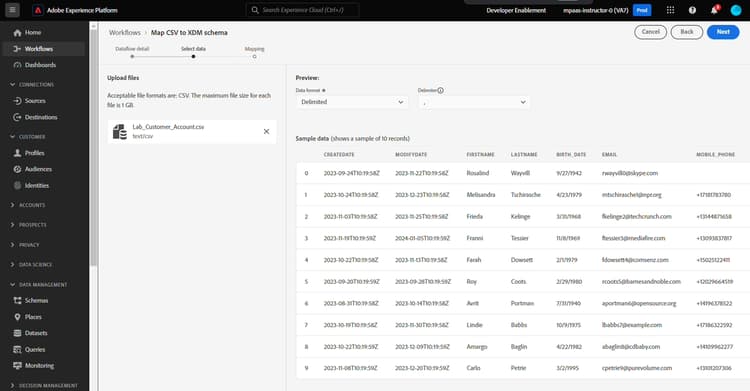
Drag 'n drop and/or upload the Lab_Customer_Account.csv file in the UI. When done your screen should look like below.
-
In the preview pane, look at the following attributes and note the following things:
- sms_optIn is a consent field has several missing values (shown in preview as - )
- account_create_date does not have the proper date format. It has string values along with date and time values in one string.
- account_end_date has the proper date format.
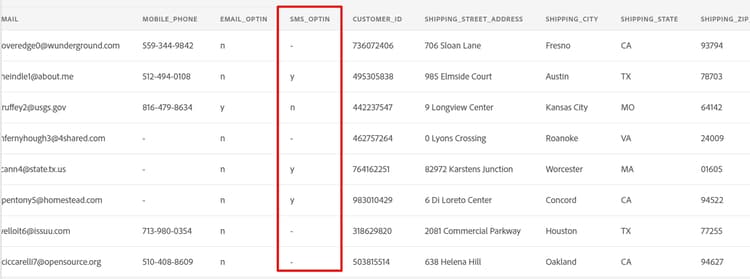
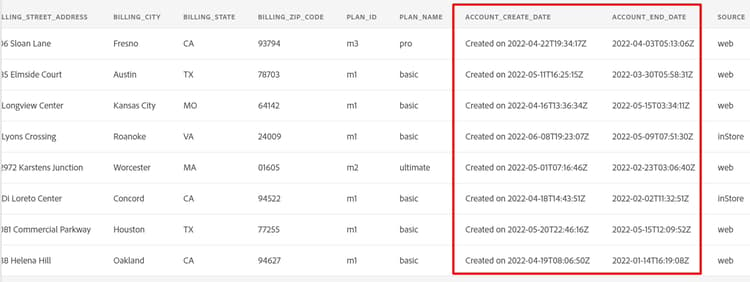
note NOTE You will need to deal with the missing values, dates and improperly formatted fields in the mapping steps later in this lab -
Click the Next button in the upper right corner of the screen to continue to the next step