Calculated fields
Overview
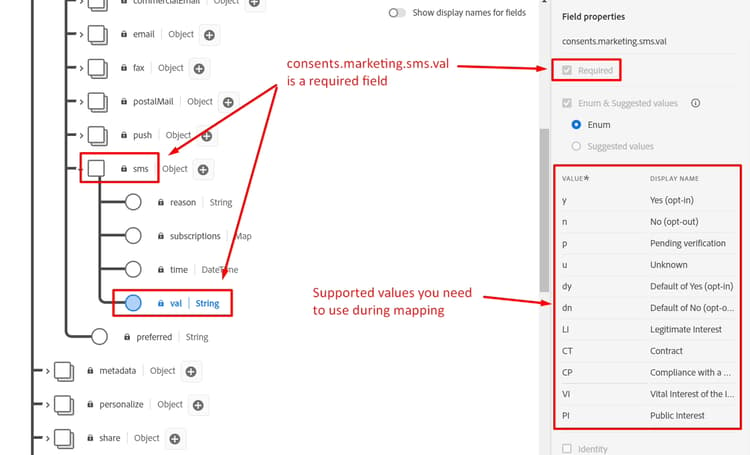
The sms_optIn field is a required field in the Customer Account schema. The issue is that sms_optIn field in our streaming source can send null values, so a calculated field is needed to address that; otherwise these records are skipped from ingestion, which is a loss.
Create calculated field
-
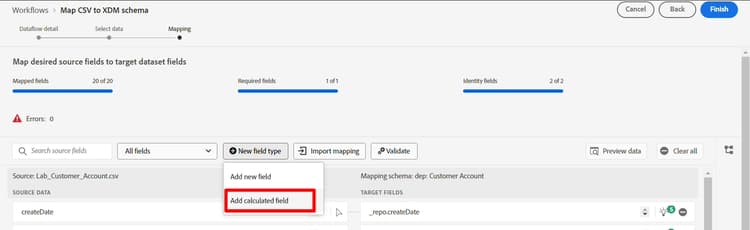
Create a calculated field by clicking New field type icon and then select Add Calculated Field. For all missing values, consent is assumed to be not given and is marked as “n”. Note that calculated fields appear in the left column as the transformation via calculated field is the input to this new mapping.
-
In the Create Calculated field dialog box add the following expression and then click Preview
code language-none iif(sms_optIn == null or sms_optIn == "", 'n', sms_optIn)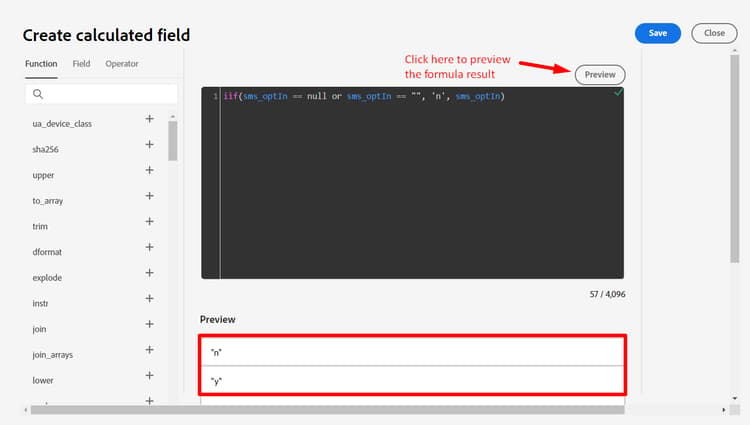
-
You should see a green checkmark in the top right corner of the black box indicating the validity of the expression and the data Preview should only show “n” or “y” as values. If everything looks good click Save.
Map to target
A new field is added to the mapping screen but with an unmapped target field path.

-
Click on the Map target field for the new calculated field you created
-
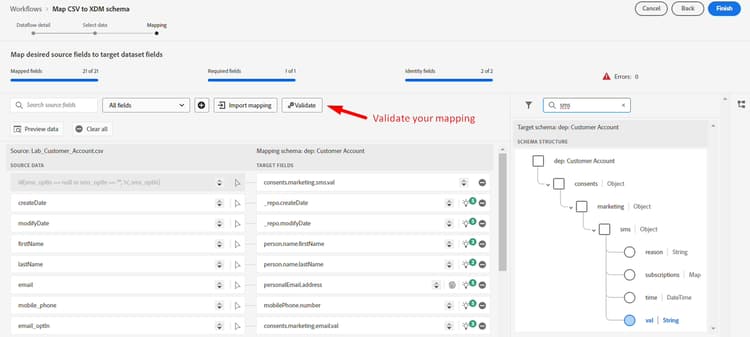
In the right pane, you now see the target schema panel open. Type sms into the search box
-
Select the val field

Your final mapping should look like this:

-
Validate your mapping to ensure it looks good
Handling birthdays
There is a requirement to separate out the birth day, month and year into separate fields so that some of them may not be used in downstream activities. You need to create two calculated fields to resolve this.
Create mapping for birth day and month
-
Add a new calculated field to capture the profiles birth day and month
-
Use the following code for the calculated field:
note NOTE Instead of just copying the code above, try to understand what is happening by executing the code pieces separately to see how it has been composed to create more complex calculated fields in a single line as multiline is not allowed. Try the following: date(birth_Date,"M/d/yyyy")date_part("day", date(birth_Date,"M/d/yyyy")).toString()date_part("month", date(birth_Date,"M/d/yyyy")).toString()concat(date_part("month", date(birth_Date,"M/d/yyyy")).toString(),"-", date_part("day", date(birth_Date,"M/d/yyyy")).toString())
-
Click preview and you should see the following result. If everything looks good click Save
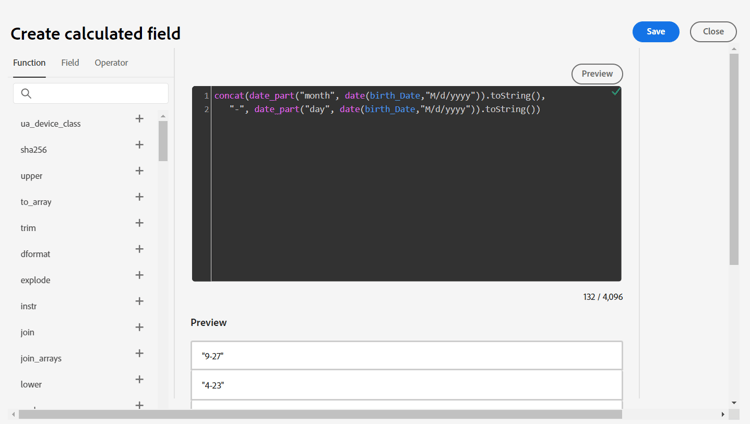
-
Map the calculated field to person.birthDayAndMonth
-
Validate your mapping
Create mapping for birth year
-
Create a new calculated field to capture the birth year of the profile using the code below
code language-none date_part("yyyy",date(birth_Date,"M/d/yyyy")) -
Map the calculated field to the target location of person.birthYear
-
Validate your mapping