Build use case #3
Create the Audience
- Create a new Audience
- Add the Order Placed Event to the canvas
- Add the Order Cancelled Event to the right of the Order Placed Event
- Change the time to within a week
NOTE
Event Type Field
We could have used:
- Any Event filtered by Event Type=order.placed
- Any Event filtered by Event Type=order.cancelled
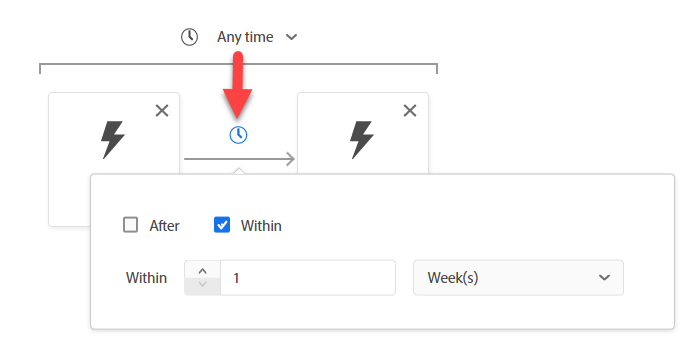
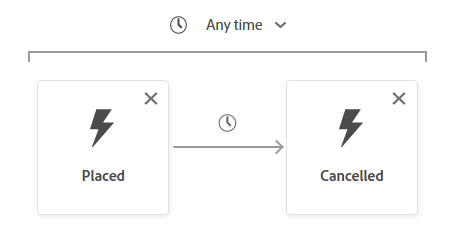
NOTE
Time
The Audience Engine uses only the Timestamp to interpret the order of Events. Thus, if you have multiple datetime fields on the Event, keep in mind the Timestamp field is the one used.
Configure the Cancelled Event
Search for Order ID and drag the field onto the Order Cancelled Event.
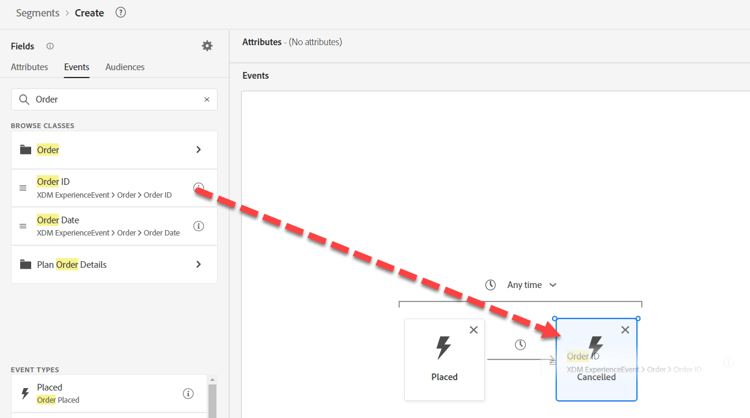
NOTE
We are adding a filter for Order ID to ensure the Order Placed is the same Order Cancelled
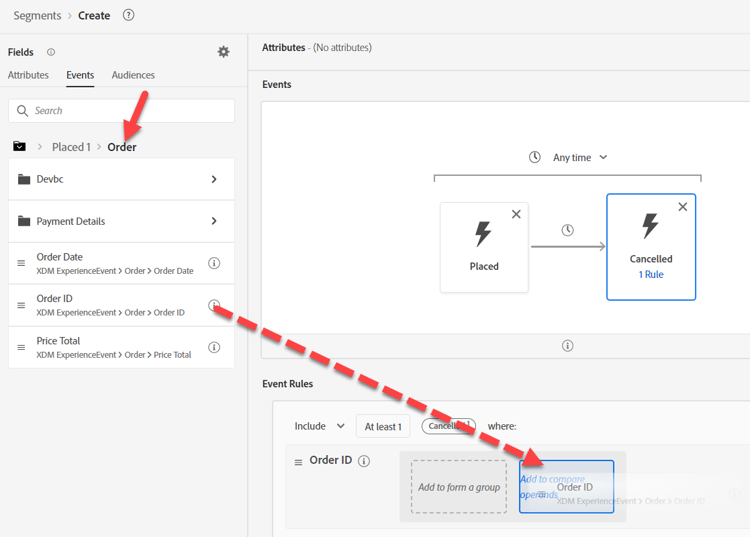
Clear any search and click into Placed under the Browse Variables
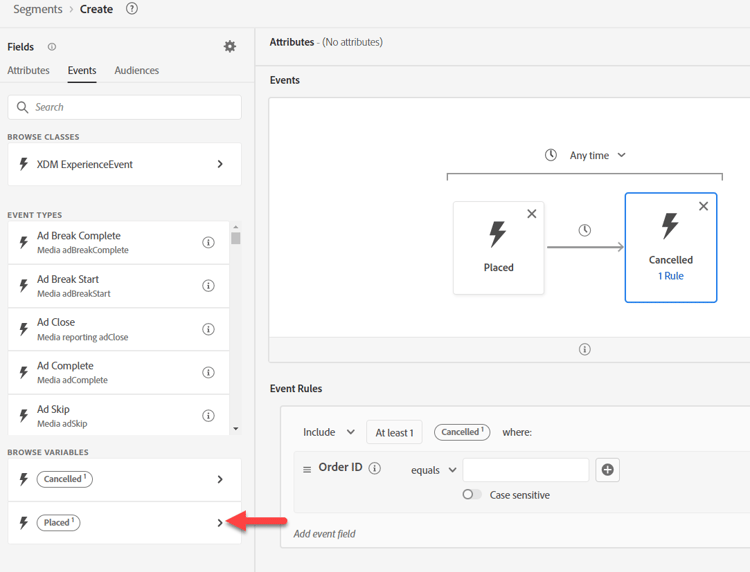
Drill down to Order ID, then drag over to add a compare operand
WARNING
Do not use search within a Variable
It will not keep the context of the variable
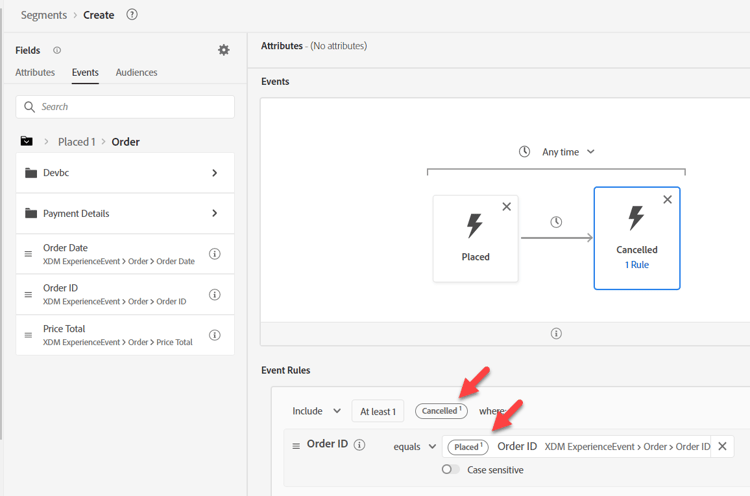
Your final result should be as you’ve seen below
NOTE
Containers
This is using the variable container to ensure the Order Cancelled is the same Order that was Placed
Earlier we used a Container to isolate an element in an Array. Here we are using Containers to reference a specific Event in a filter criteria inside another Event.
The Order Cancelled Event is ensuring its own Order ID is the same as the Placed Order ID
How else could we use this?
- Comparing a Product SKU for a Page View is the Product SKU Purchased
- Comparing a Ship to City is different than the Bill to City
- Comparing any two fields of the same data type should be possible even though the Events can come from different Schemas
https://experienceleaguecommunities.adobe.com/t5/adobe-experience-platform-blogs/how-exactly-do-containers-work-in-aep-segmentation-a-deeper-look/ba-p/458780
NOTE
Container Names
Containers will inherit their variable name from their context.
e.g. If you use the Any Event card, the container name will be Any1
Save your Audience
- Provide a description. Set your Evaluation method as Batch.
- Save your Audience as “Order Placed and Order Cancelled within a Week”
TIP
Optional Challenge Lab
Finished early? Try this…
We would like to start a new campaign for Abandon Cart. Create an Audience for Abandon Cart but make sure we don’t start targeting people for an hour.
Still have time? Try this…
The business went through a merger and acquired two new business units for:
- ISP
- Cable
How might you need to modify the schemas to include these?
recommendation-more-help
blueprints-learn-help-blueprints