Option #2 - use pre-aggregates
The challenge with Aggregates in our Audience is that our Audience (while Streaming), is built on aggregations done inside Audiences which are Batch Audiences. Since Marketing has determined a more real time approach is needed, we have done three things to work this into the design:
- Calculate the Aggregates before streaming the data in
- Use the denormalized Plan Name
- Stream the data in
Create the Audience
Create an audience of all the profiles whose billing data usage is high but do not currently have an ultimate phone plan.
-
Create a new Audience
-
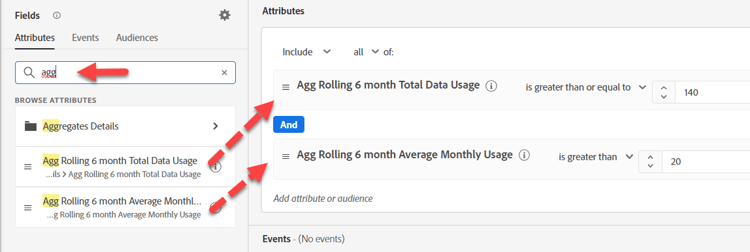
Search for “Agg” on the Attributes not Event tab and drag the two Aggregates onto the canvas. Set the appropriate operators and values for each.
-
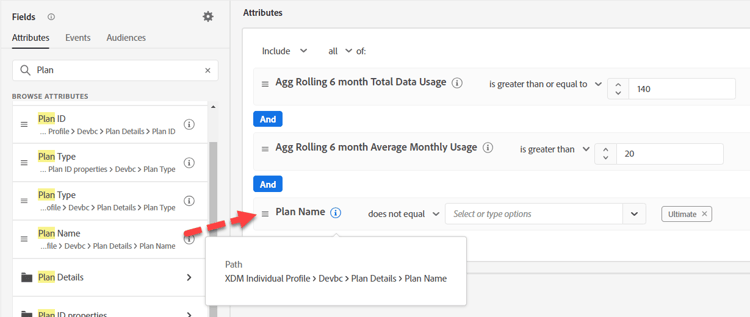
Search for the Plan Name on the Profile and add it (XDM Individual Profile > Devbc > Plan Details > Plan Name). Select Does not Equal “Ultimate”
-
Provide a description. Validate evaluation method is Streaming.
-
Save the Audience as “Billing Data Usage High But No Ultimate Plan (Agg)”