Favorite and tag components
Tag components
Favorite and Tag features help you manage and organize your components easily. This video demonstrates how to tag your components.
Favorite components
This image shows you how to add any components as favorites. Click on the image to zoom in or zoom out as needed.
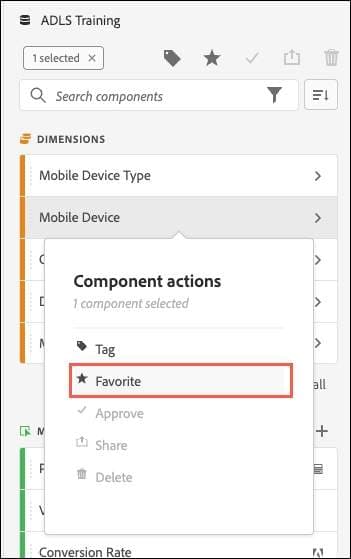
How to favorite a component?
Right-click on any of the components in the component rail and click Favorite, as shown in the image. This will ensure that the component is marked as favorite.
In the next step, you'll learn how to create a Segment Filter drop-down list.