The engagement program
The engagement program in Marketo Engage should be used when you want to nurture your audience at a regular interval, be that daily, weekly, or monthly.
Its special features allow you to:
- Send selected emails in order at a regular interval in the recipient’s time zone.
- Arrange content by the highest priority.
- Schedule content, such as special offers, to expire when no longer relevant.
- Transition people from one content path to another based on their actions.
- Track performance immediately after each cast using the built-in Engagement Dashboard.
How engagement programs work
Engagement programs serve content to your audience depending on when they enter the program. This means that members of the engagement program receive various pieces of content at different times, depending on when they were added as members.
This functionality ensures that people receive relevant content at the right time.
It also means your content stays fresh longer, because it will be regularly sent to people rather than just deployed in a one-time, batch-and-blast email.
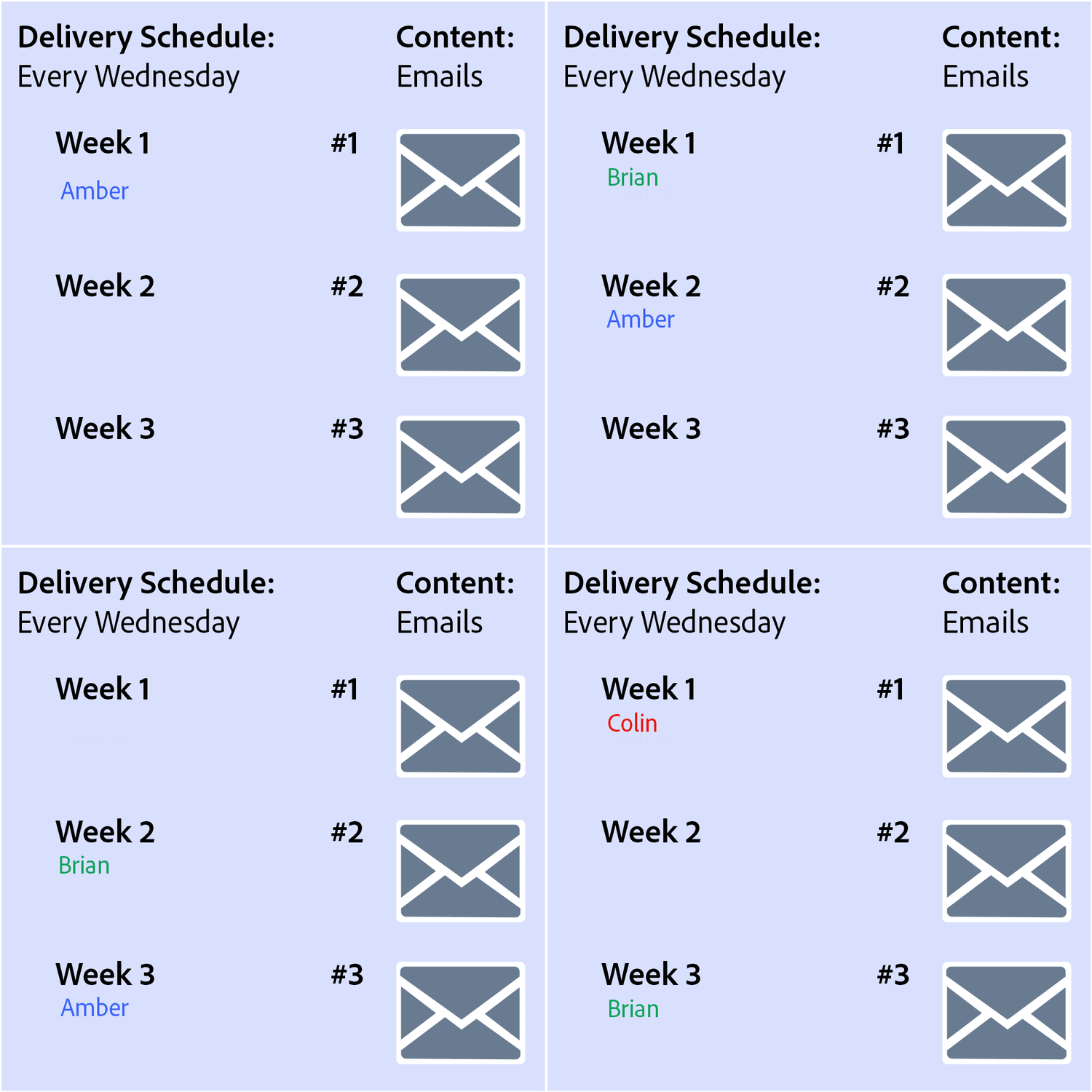
Here’s an example of how that works:
This engagement program is set up to deliver emails to members every wednesday. If amber is added to this program on monday, she receives email 1 the first wednesday, email 2 on the following wednesday, and email 3 the wednesday after that. If brian is added a week later, he receives email 1 while amber receives email 2. If colin is added two weeks after brian, brian receives email 3 when colin receives email 1.
It is possible that email 1 is sent out every week as new members are added, so email 1 lasts longer and provides useful content over time.
Engagement program status
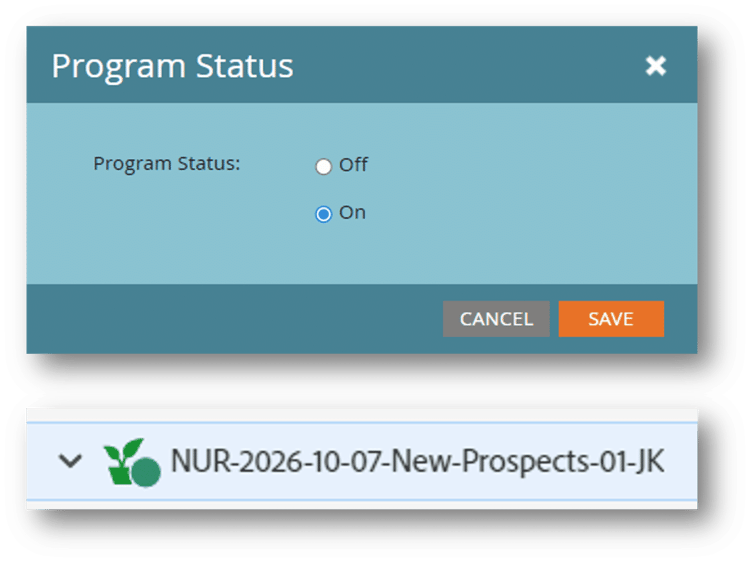
The engagement program status defines if the program is “on” and can cast content or “off” and cannot.
Engagement programs are set to “on” when created, but it is recommended setting the program to “off” when setting up the program to avoid sending content before you are ready to launch.
You may also want to turn off your program during a holiday season when your audience may not be as engaged or during emergencies that may affect your audience, such as natural disasters, when your communications may seem insensitive.
Next, you will create an engagement program and content.