Metrics and reporting
Once your program is live, reviewing a variety of metrics helps you ensure your audience is engaging with the content.
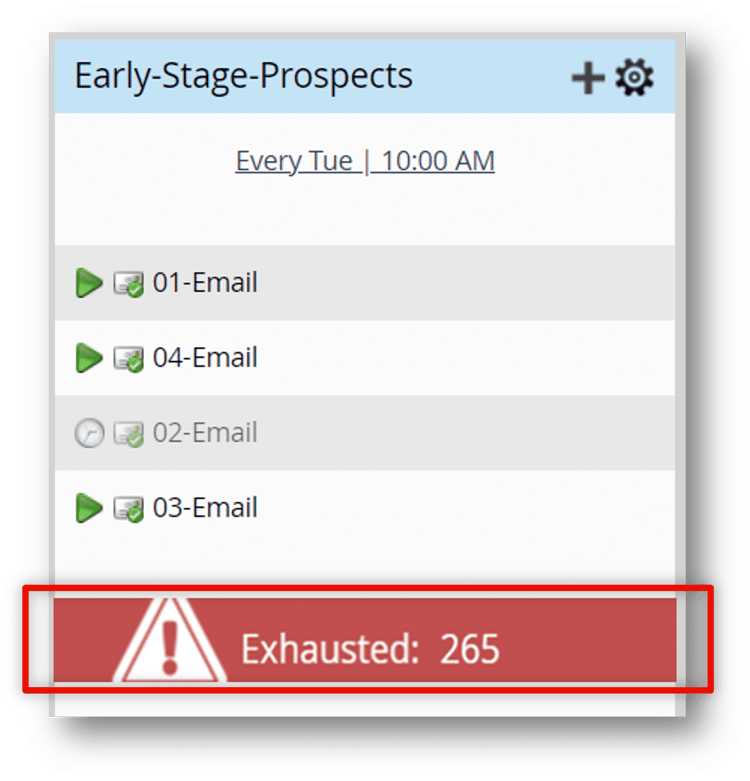
Content exhaustion
Members who have received all available content in the stream are in a status called content exhaustion. These members remain idle in the stream until more content is added or the stream cadence is paused.
One way to view how many people have exhausted content is the stream exhausted content notification bar, shown here. By default, this displays the number of exhausted members immediately after each cast. In this example, there are 265 members who will not receive any more content from this stream.
The notification bar can be turned off in the Setup tab, if desired.
Engagement score
The engagement program has its own dashboard featuring a metric called an Engagement Score. This ranges from 0 to 100 and is weighted to account for both engaged and unengaged behavior. The score is calculated using a Marketo Engage proprietary algorithm.
For emails, the score considers:
-
Opens
-
Clicks
-
Successes
-
Unsubscribes
Higher scores are better. It is benchmarked against nurture-style emails to give an average score of 50 and is refreshed every 72 hours.
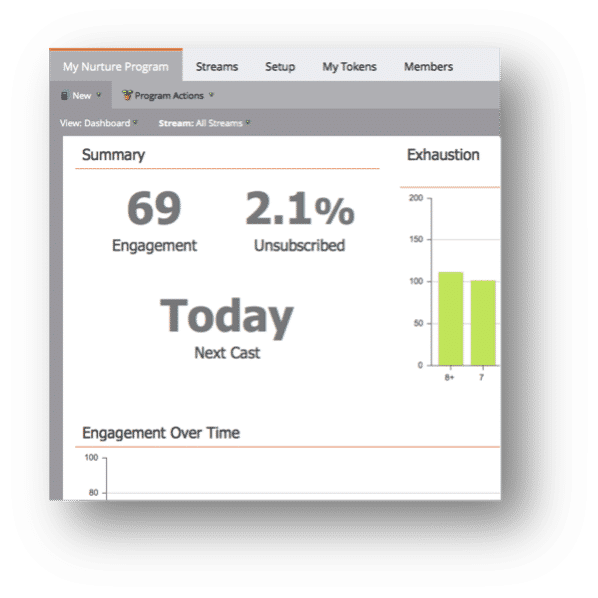
The engagement score is a balanced way to look at the performance of your content. Rather than focusing on a single metric, it takes many data points into consideration.
Explore the rest of the engagement dashboard by clicking each of the icons below.
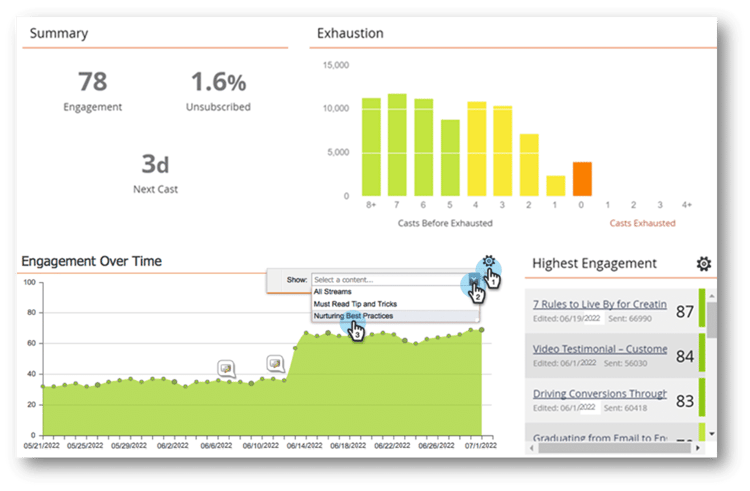
Demonstration: review the engagement dashboard
Learn to monitor the performance of an engagement program by accessing the engagement dashboard. Your dashboard will not contain data until your program has launched and your first email has cast.
Next, review the key takeaways for this module.