Reports
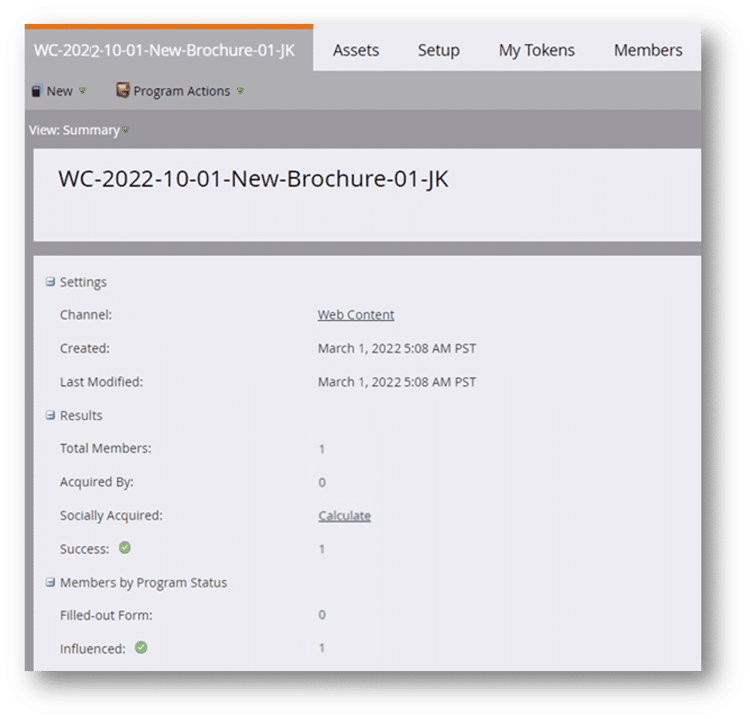
As always, you want to create reports for your program to measure its effectiveness in meeting your marketing goals. There are two reports that are relevant to your gated content program: the landing page performance report and the program performance report. Additionally, the p rogram summary screen can provide insights like total members, how many people filled out the form, and so on.
Landing page performance report
To view metrics regarding the performance of your landing pages, create a landing page performance report. Metrics in this report include:
-
Total views
-
Total conversions (form submissions)
-
New names acquired (added to the database) by the form.
-
Number of visits originating from social sources.
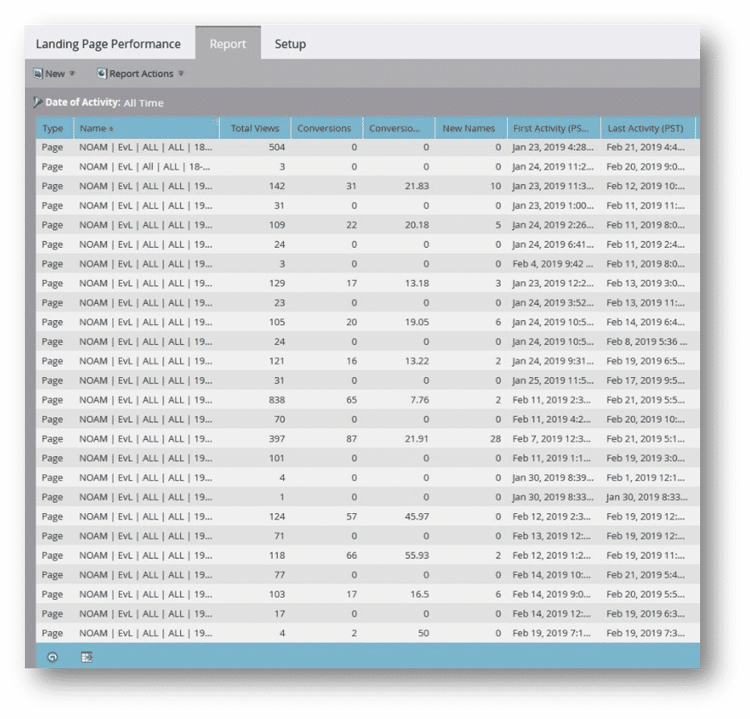
The image is a global landing page performance report that compares the landing page metrics of multiple programs.
Demonstration: create a local landing page performance report
In this activity, watch an expert create a local landing page performance report for the gated content program.
Program performance report
To view metrics regarding the overall performance of your program, create a program performance report. This report shows you:
-
The total members in each program.
-
The number of members who achieved success.
-
The number of new names generated by the program (or multiple programs, if created globally).
Total cost is also included in the report. The total cost is based on the period cost you entered on the program setup tab.
Three return on investment (ROI) metrics are provided in this report: cost per member, cost per new name, and cost per success. These metrics help you compare programs to determine which are the most cost effective for achieving your goals.
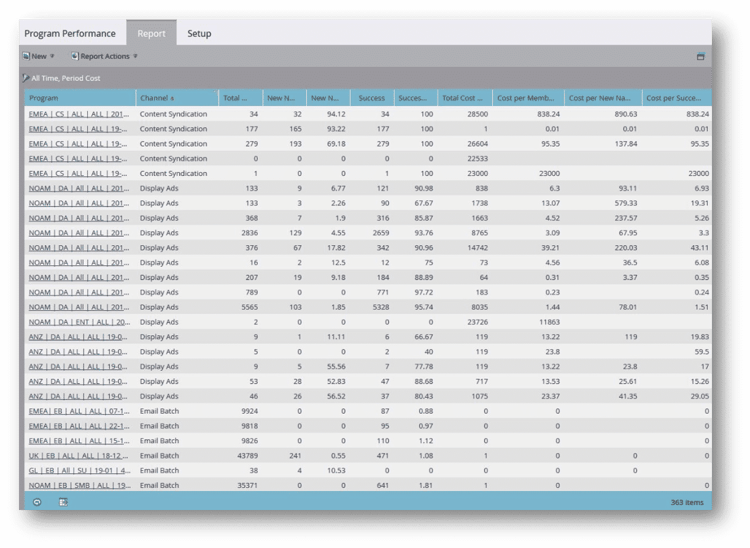
These reports demonstrate the importance of tracking success and assigning period cost, because without that information, you cannot accurately know which programs perform the best.
Program summary
The summary tab of your program also provides some metrics. For each program you can see total members, members acquired by the program, and members who achieved success. You also see a breakdown of the members by program status. Some of these metrics are included in the program performance report.
Demonstration: create a local program performance report
Learn how to create a local program performance report for the gated content program.
Next, review the key takeaways for this module.