Landing pages
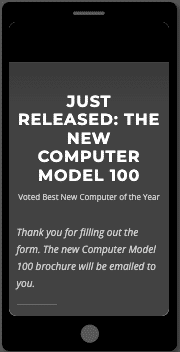
Marketo Engage makes it easy to create and host custom landing pages to support your marketing efforts.
A landing page is different from your company’s website. Landing pages are built in Marketo Engage and hosted on that platform instead of through your company’s website content management system (CMS).
Additionally, each landing page is program-specific and designed for a single goal, such as encouraging people to fill out a form, enter a sweepstakes, or watch a video. Your landing pages can be highly customized for your intended audience, including custom URLs.
Webpage or landing page?
Some marketing efforts are better served using corporate webpages. Others are better served using Marketo Engage landing pages.
Flip each marketing goal below to the platform that best supports it.
Product launches
Marketo Engage landing page
Brand awareness
Corporate webpage
Event registration
Marketo Engage landing page
Product or service information
Corporate webpage
Investor relations
Corporate webpage
Promotional campaigns
Marketo Engage landing page
Newsletter unsubscribe option
Marketo Engage landing page
Customer support
Corporate webpage
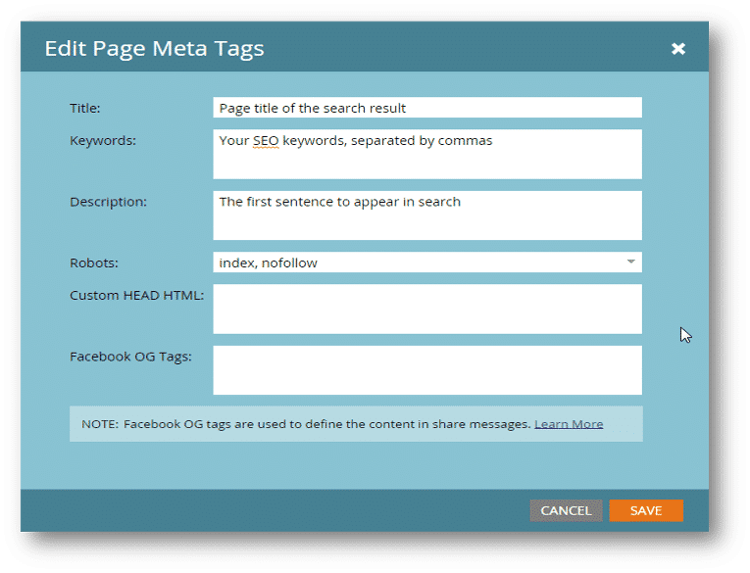
Landing page metadata
Each landing page in Marketo Engage can include additional information about that page, or metadata. This metadata can include a title, keywords, and a description to make your page more search engine friendly.
The Robots settings allow you to prevent search engines from indexing the page or following links on the page.
Finally, you can add custom HTML header code as well as Facebook Open Graph (OG) tags.
Building landing pages
For the gated content program you are creating, you need to build two landing pages:
-
A promotional page with the global form.
-
A follow-up or “Thank You” page that people see after completing the form.
When you create these pages, first create the thank you page. The promotional page will redirect people to that page after they submit the form, and you can’t do the redirect if the thank you page is not created.
After you spend some time working in Marketo Engage, the order in which you create the page will be less important. As a beginner, it makes more sense to create the pages in this sequence.
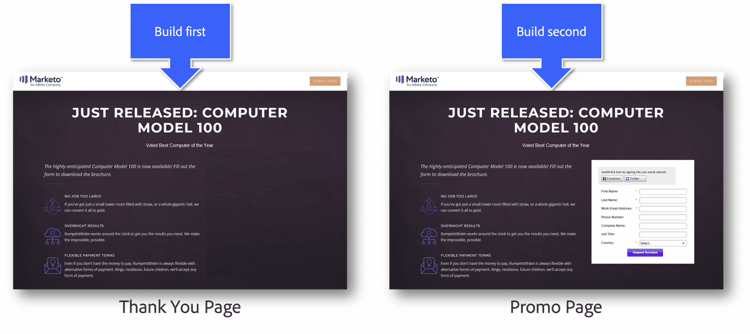
Building the pages in this order is easier since you will need the URL for the Thank You page when you build the Promo page.
Demonstration: create a follow-up (thank you) landing page
We will get started by building the Thank You landing page first. To do this, an expert will:
-
Create the landing page.
-
Add copy and make edits to the landing page template.
-
Add images and meta tags.
-
Preview and approve the landing page.
Demonstration: Create a promotional landing page
The easiest way to create a promo landing page is to clone the thank you page and then make the necessary edits.
-
Clone the Thank You page.
-
Update the Promo landing page copy.
-
Add the global form created previously to the Promo landing page.
-
Approve the landing page.
In the next step, you will create the email that is sent after a person completes the form, plus the Smart Campaign that sends the email.