Create a default program
Gated content offers can only be included with a default program in Marketo Engage. They are not supported with email, engagement, or event programs.
The default program offers the greatest flexibility in how you set up your marketing initiatives. Its special features include:
-
Can be nested within an engagement program.
-
Has a program-level calendar to track deadlines and important dates.
Default program use cases
Here are three examples of where you would use a default program to manage an initiative.
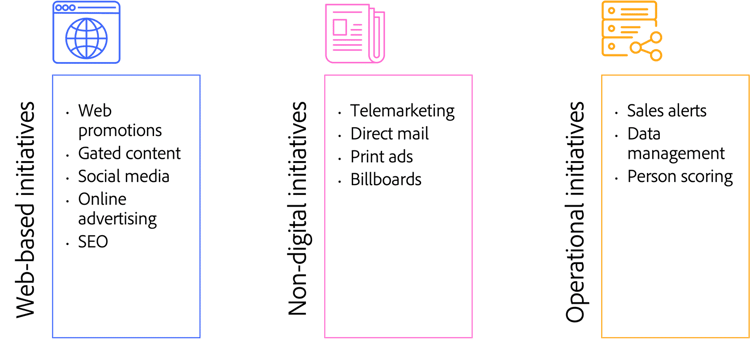
Three examples of default program use cases: web-based initiatives, like web promotions and gated content; non-digital initiatives like telemarketing or print ads; and operational initiatives like data management and sales alerts.
Demonstration: create a default program
First, create the default program.
-
Right-click in the navigation tree and select New Program.
-
Create Assets, Campaigns and Reports subfolders.
Demonstration: add a period cost
Next, add a period cost of $3000 for brochure development for the month and year the program will go live, to ensure proper reporting.
In the next step, learn about using the design studio to upload, store, and manage global creative assets.