Customize preferences for groups
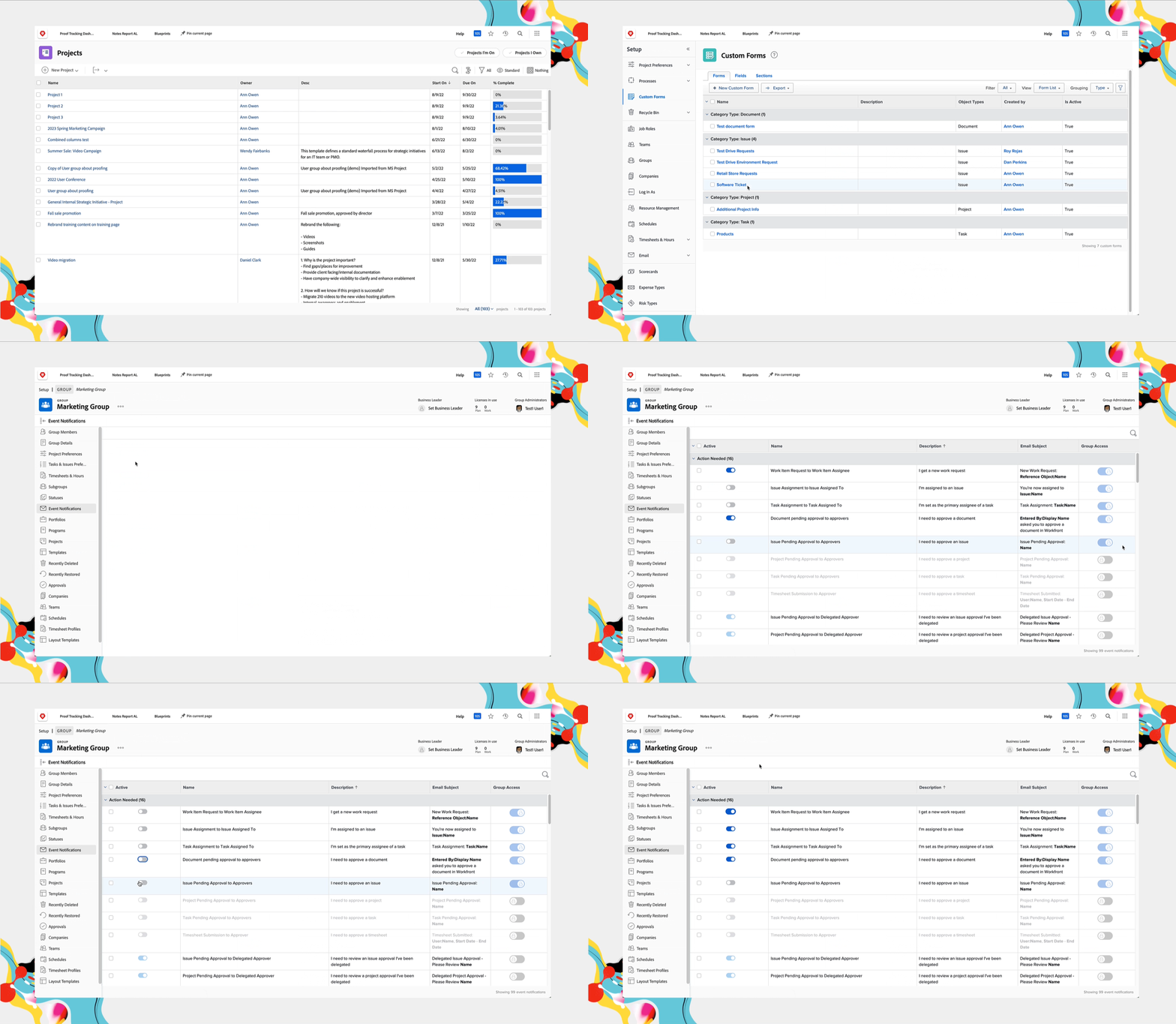
As you learned in previous lessons, many preferences and notifications can be unlocked by the system administrator so they can be managed by group administrators.
This allows a more granular level of control to meet the workflow needs of all the groups in your organization.
Click the toggle next to each preference to unlock or lock it, as shown below.
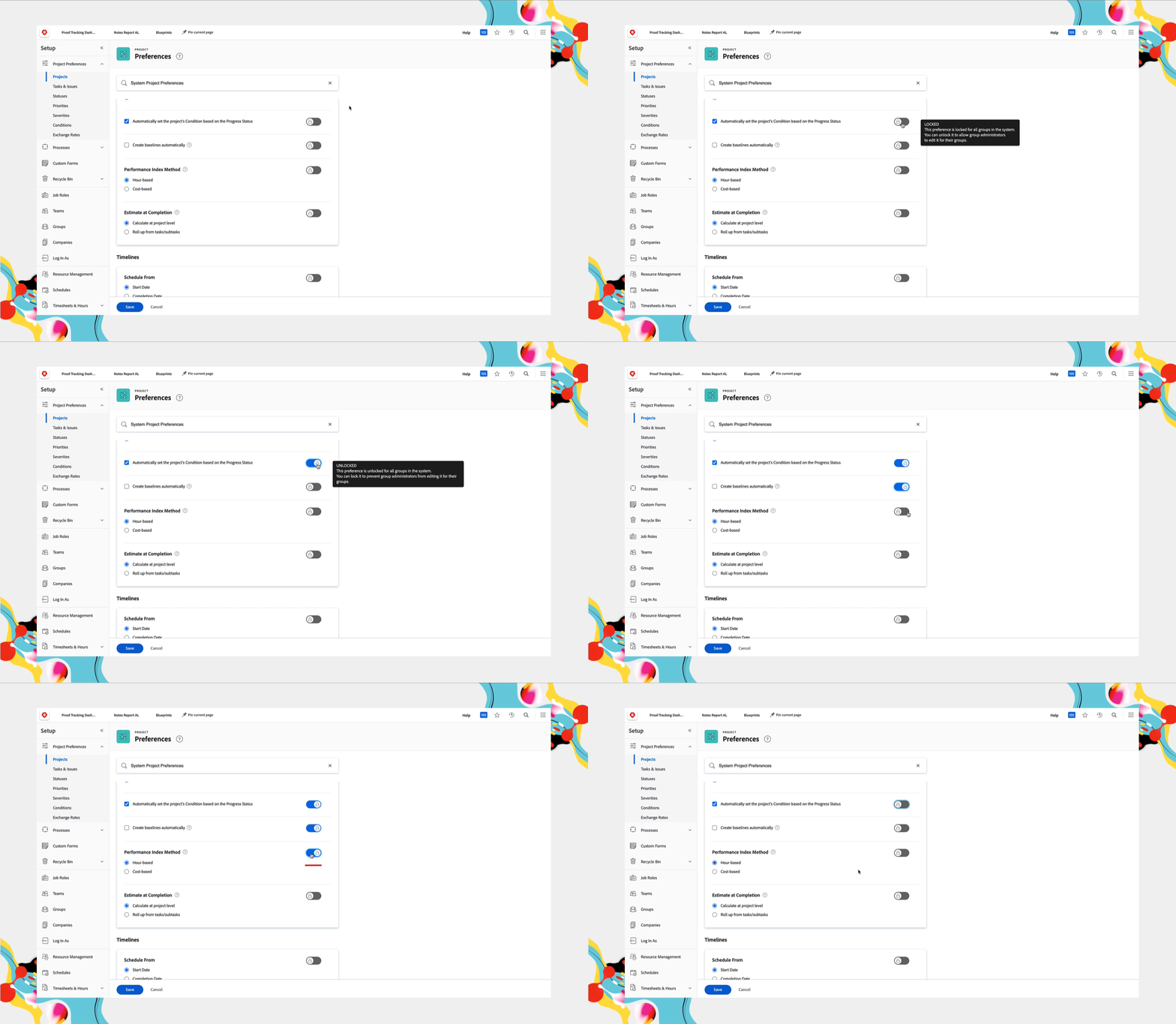
Once unlocked, settings can be modified for a group by the system administrator in the Setup area of Workfront or, more commonly, by a group administrator on the main page for the group.
System administrators
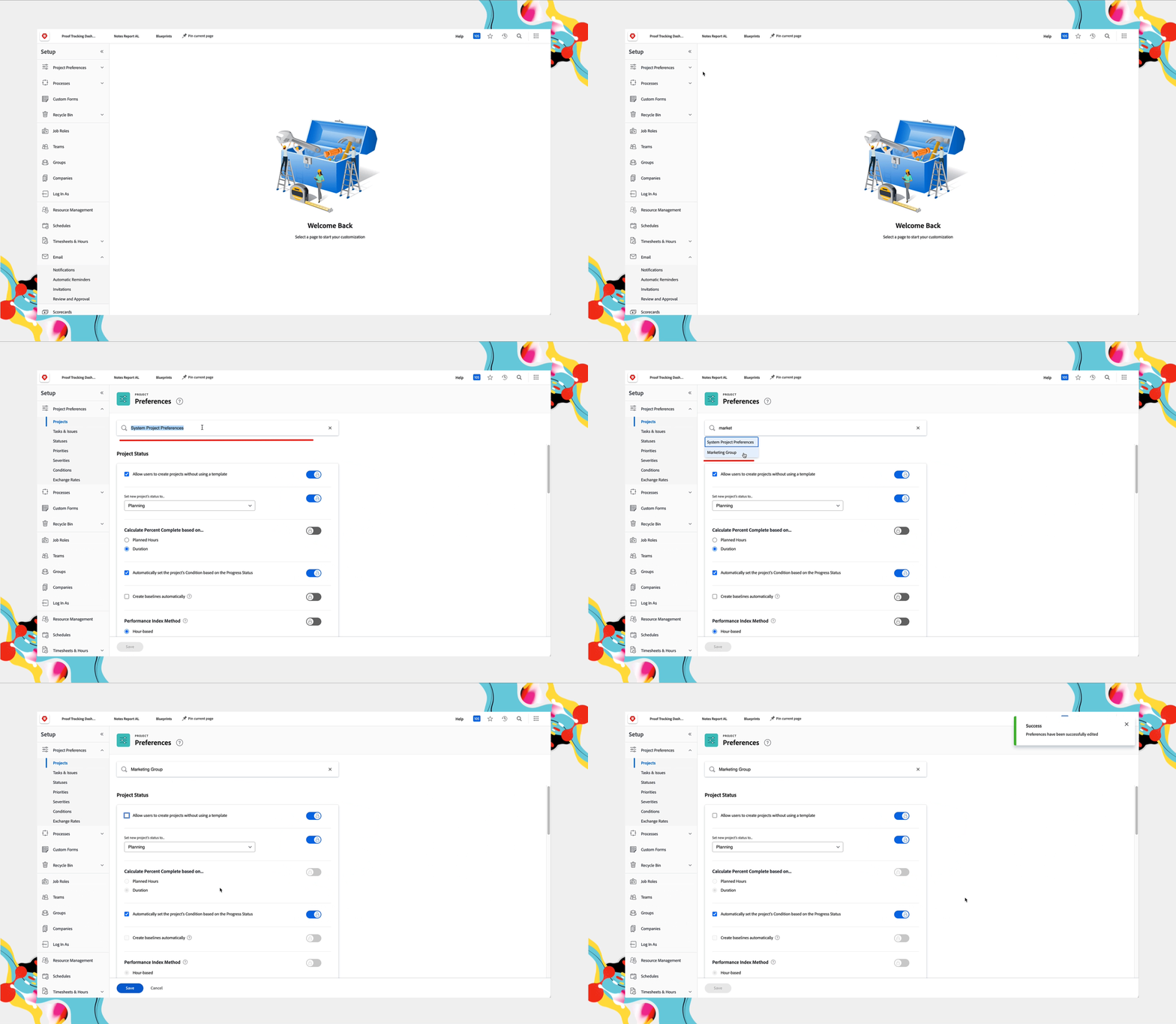
The system administrator can adjust group settings if your organization doesn’t have group administrators yet.
- Go to Setup in the Main Menu.
- Expand Project Preferences in the left menu. Select Projects or Tasks & Issues.
- Or Expand Email in the left menu and select Notifications.
- Enter the group name in the Search bar at the top of the window and select it from the list that appears.
- With the desired group selected, make adjustments that are specific to that group.
Group administrators
Group administrators can adjust preferences for the groups and subgroups they manage only for settings unlocked by the system administrator.
- Go to Setup in the Main Menu.
- Select Groups in the left menu.
- Click the group or subgroup name to open it.
- Select Projects preferences, Tasks & Issues preferences, or Event Notifications in the left menu.
- Make the changes needed for each of the preferences that has been unlocked.
- Click Save when you’re done.