Key takeaways
Custom forms are key to collecting the business-critical information your users need to complete their daily work.
In this module, you learned how to:
- Create custom forms. Custom forms allow Adobe Workfront users to capture the object-specific and organization-specific information needed to complete work.
- Attach custom forms to projects, templates, and more. Streamline work processes by making sure the relevant custom forms are available for your users.
- Fill out custom forms and view their data. Ensure your Workfront users can access and use custom form information when completing work assignments and reporting on the work being done.
Custom forms can be attached to projects, tasks, requests, documents, and many other Adobe Workfront items. Use custom forms to capture and record the data that’s vital to your organization.
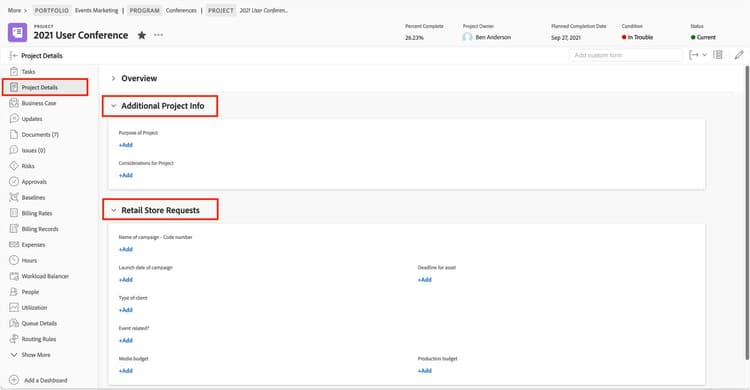
Multiple custom forms can be attached to objects.
Adobe Workfront customers use custom forms in many ways—as creative briefs, product specification sheets, software development bug reports, and more.
As the system administrator, take an inventory of how teams at your organization gather the information they need and then set up custom forms. You also should identify where in the workflows that custom forms need to be attached to items, when the forms should be filled out, and who should fill them out.
In addition, give everyone quick, easy access to custom form information by making it visible through custom-built views and reports.